

Dragon's Fury at Chessington
All Comments
19441 to 19460 of 19724Filter comments


As someone who does build coasters hand built, It's nice to see a thread on this. NLE had a topic on how to make coasters but it wasn't the best help. This is really quite helpful, even if I knew most of it already. Always helps to have a refresher every now and than.

someone else go

Yep! your Turn
Sky Streak - Boblo Island
Nope

Ultimate @ Lightwater Valley

COASTERGUY246 got it right. Damn it that was quicker than I expected :P
Link to Full Picture
Some pics of the new Gerstlauer Bobsled going up at Jardin D'Acclimation.
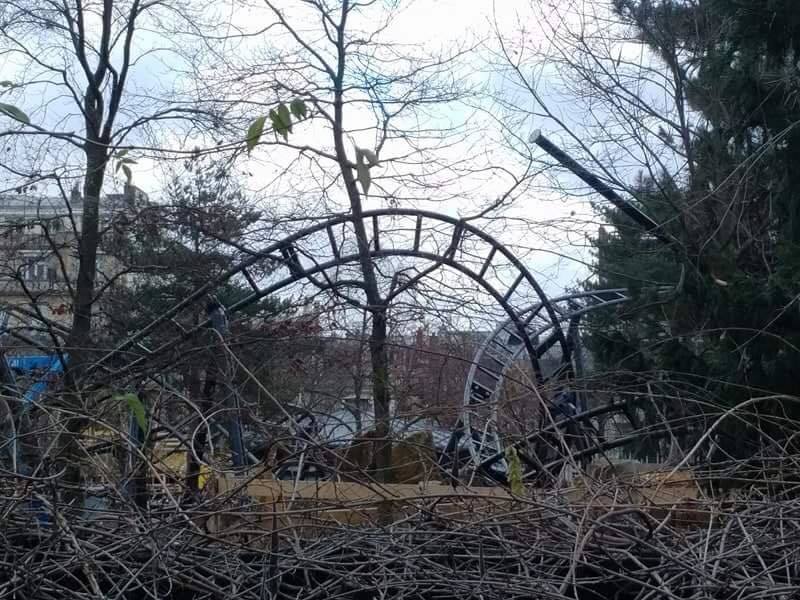
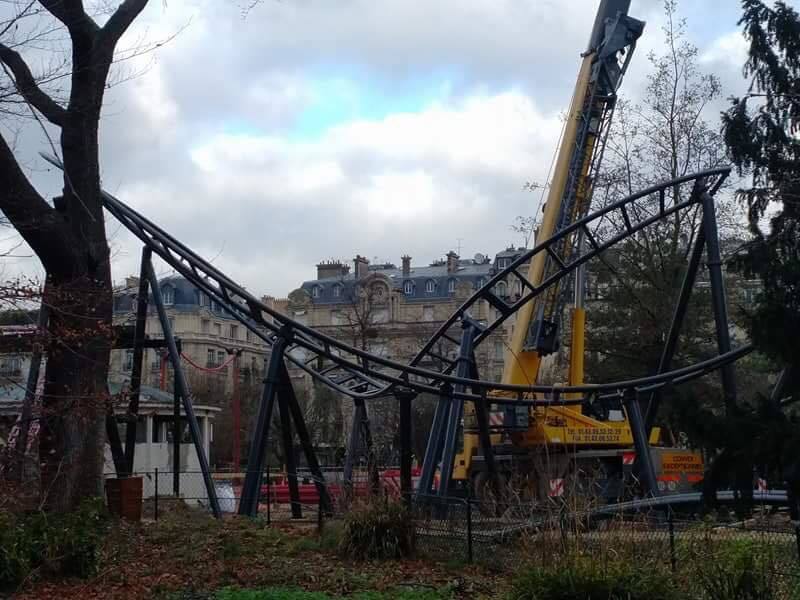
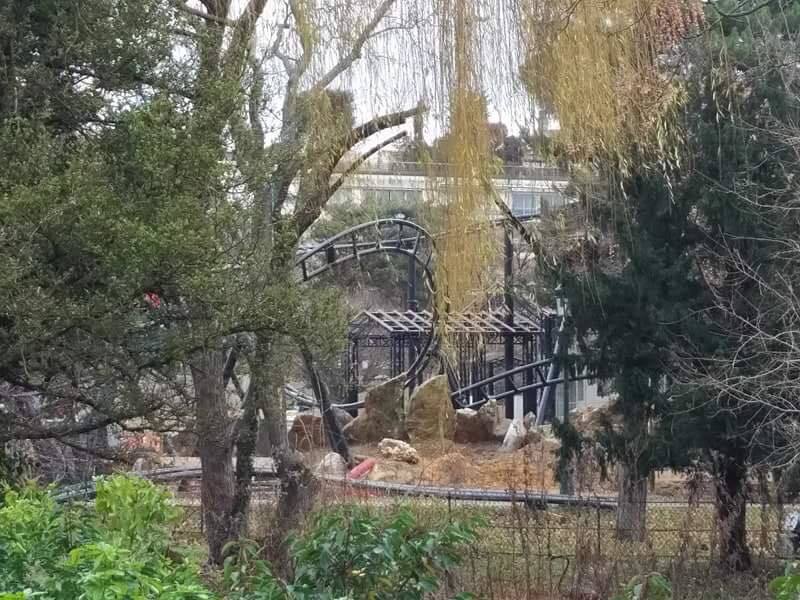

Lech Coaster?
Hyperion @ Energylandia ?
Ring Racer?
Here's a new guess for y'all:
(I scaled it up so it wouldn't be as tiny as a profile picture)

Ah the old sneaky colour change and flip, nice one.
Element 115's Handbuilding Bible
Episode two: Start simple, add complexity
In this episode, i will cover the process of creating an element within your layout, and the steps i then take to perform the initial smoothing and create the "first draft" of the element, we will be covering the initial rough draft, the methods used to smooth it out, as well as some tips for using the depumping tool more effectively.
The rough draft
For this step lets use our original overbanked element from the previous episode. To create this i simply drew out the general shape i wanted by using the top and side views, as well as the perspective view for some parts. I depumped the whole thing and added some roll nodes to get the general roll and banking i desired.
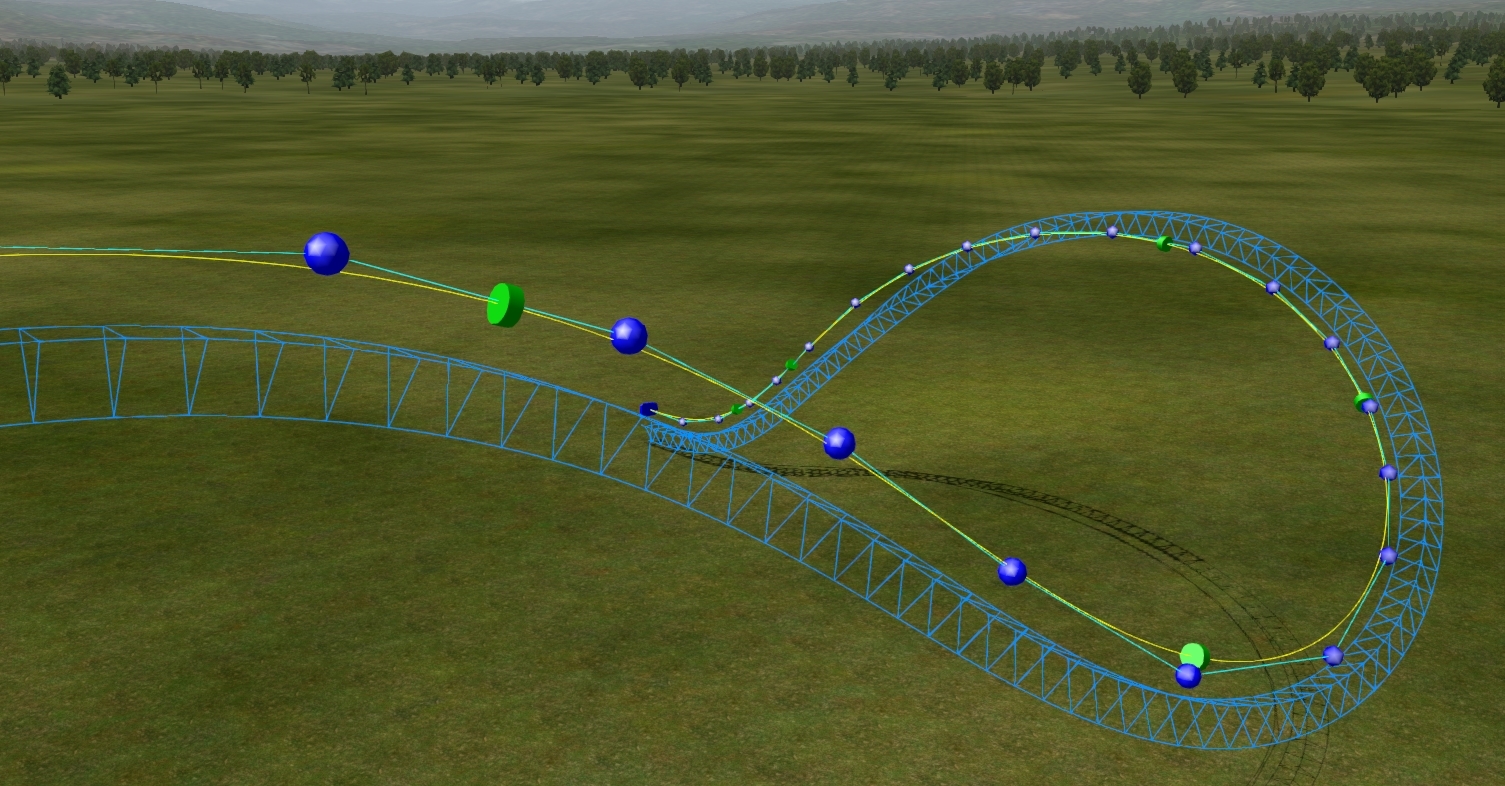
For this draft feel free to tinker with the vertice positions and roll rates as you wish. The depumper is your best friend as a hand-builder, however it is not perfect, try to avoid using the depumper in this step as due to the low vertex density, the shape can be dramatically altered between each pass, more on that later.
Once you have ridden your draft in track view, and are happy with the general shape and the rolling is nice and fluid with no wobble, we are ready to move on to the next step of the process. Do not worry if your element is rough and pumpy at this point, we DO NOT care about the smoothness yet, that's what happens within the next and longest step of this episode.
Increasing the vertex density
So remember what i mentioned earlier about the depumper causing a loss of shaping? This is where this step comes in, by increasing the amount of vertices within your element, you can depump it multiple times with minimal loss of shape, this process is done using the insert vertex tool.
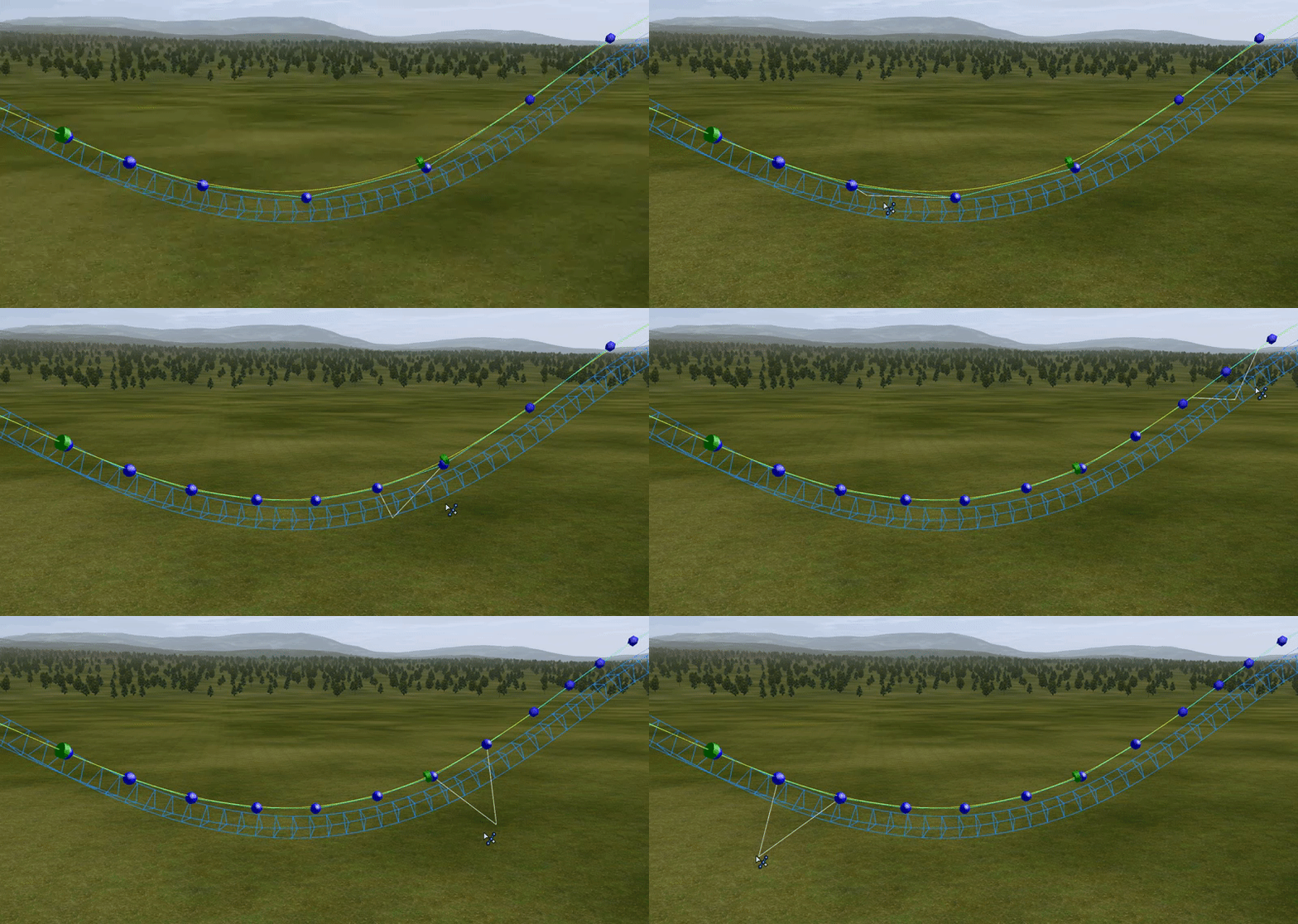
Look for the largest gaps between your vertices and insert just one vertex in each, pass along the entire element doing this on every large gap, then depump at least twice. If your vertex density is very low on your draft, you may have to manually move the inserted vertices before your first depump. Once this has been completed, check your radius comb within the editor to see how smooth your track spline is, if you are not happy, repeat the process as many times as you want and further increase the density. Remember to depump multiple times after each pass.
Once this is done be sure to go back and check your roll, ride the track within the editor and re adjust your roll nodes as they may have shifted as you inserted the vertices. Ensure that your roll flows smoothly from point to point, DO NOT WORRY ABOUT LATERAL FORCES, obviously make sure they are not completely ridiculous but prioritise the banking and roll flow over the forces during this step, they can be eliminated later on, through a process i will cover in a future episode.
Finding the balance
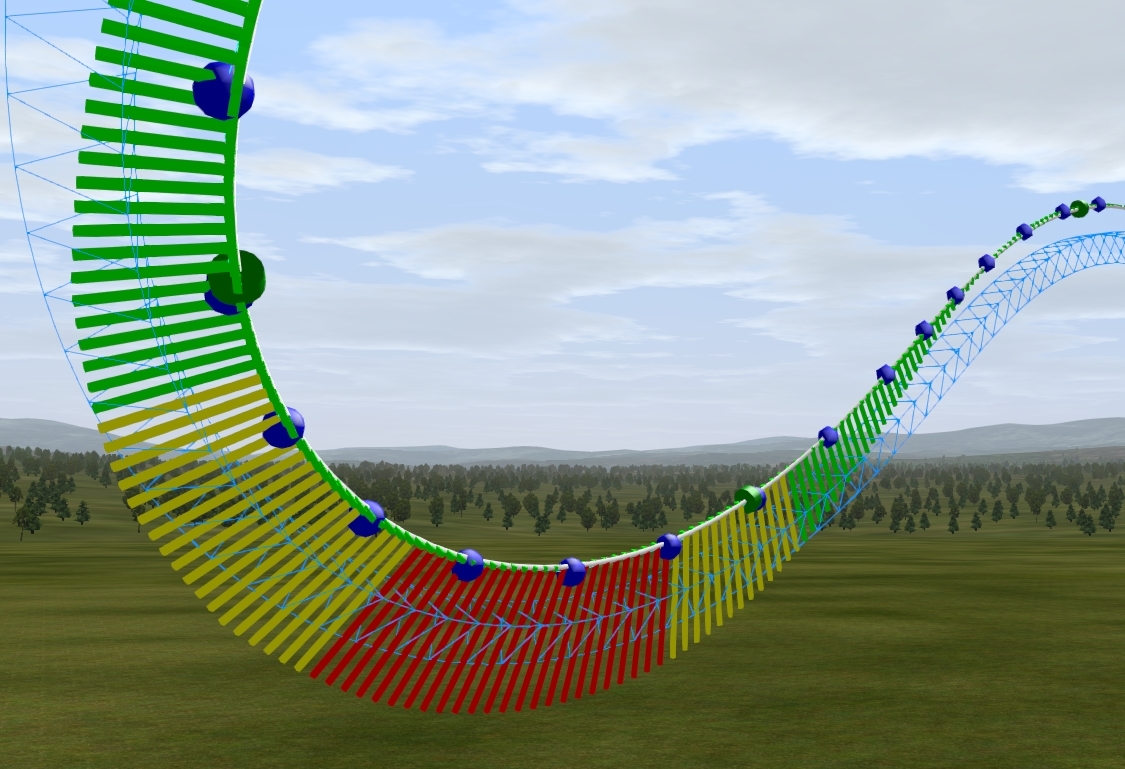
So as we have discussed so far, increasing the vertex density allows for easy depumping with no loss of shape, leading to a nice smooth spline. However, it is easy to go too far with this, i have made this mistake multiple times. Too many vertices can prevent the depumper from doing its job effectively, this leaves you with jolts and pumps within your radius comb. The image above shows the density i usually strive for during this stage of construction. From my testing it seems anywhere from around 2 - 5 m distance between vertices gives the best results.
The tighter the section of track you are working on will decide the density you should use, tight curves and corkscrews should use a higher density, whereas long sweeping drops can use a lower density. The scale of your coaster also plays a big role in this, a small compact ride will require a high density, whereas a huge, sprawling giga coaster will be fine at a lower density.
If you have to change the density within the element, make sure you do it gradually, going straight from a 2m spacing to a 5m spacing will result in a loss of shape when you depump, try to get a nice transition between your vertex densities throughout the element. More on the depump tool next.
The depumper and you, maintaining a happy relationship
The start and end points of your depumping zone are vital to the final smoothness of your draft element, if used incorrectly, you can end up creating more pumps than you eliminate, here is some advice in the best use of this vital tool.
TIP #1 Choose your selection area wisely.
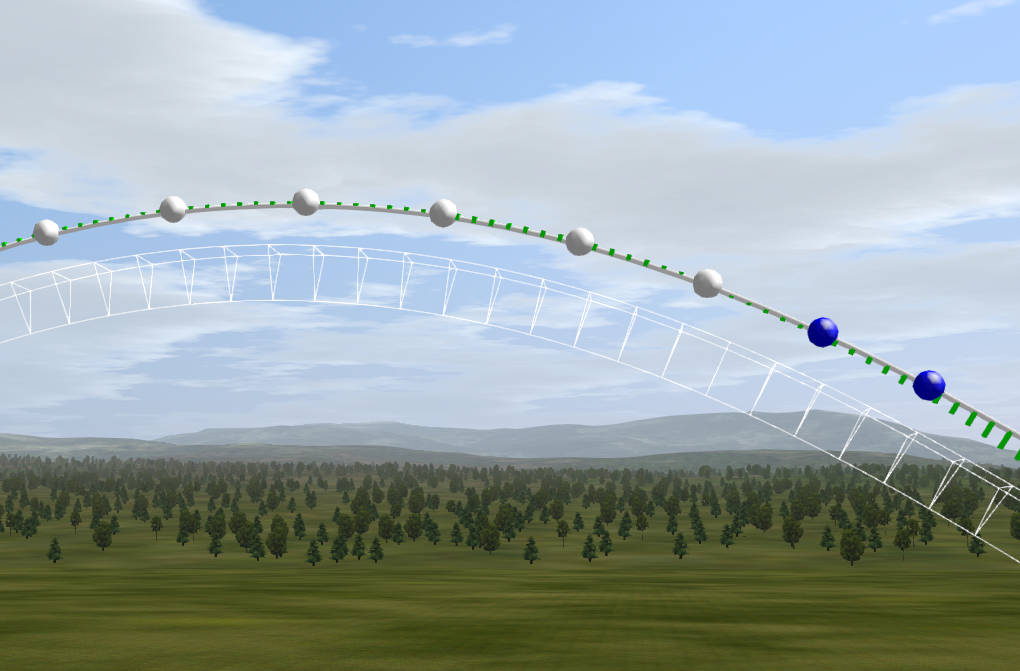
Starting or ending your selection on a section of track undergoing high forces or rapid direction change is a big no no. After depumping, the nodes at the end of the selection will move slightly, while the un selected nodes will not move to compensate, and create a large kink or pump within the track. By ending your selection on an area with no force or radius change, as shown in the above image, this problem does not occur.
TIP #2 Go big or go home
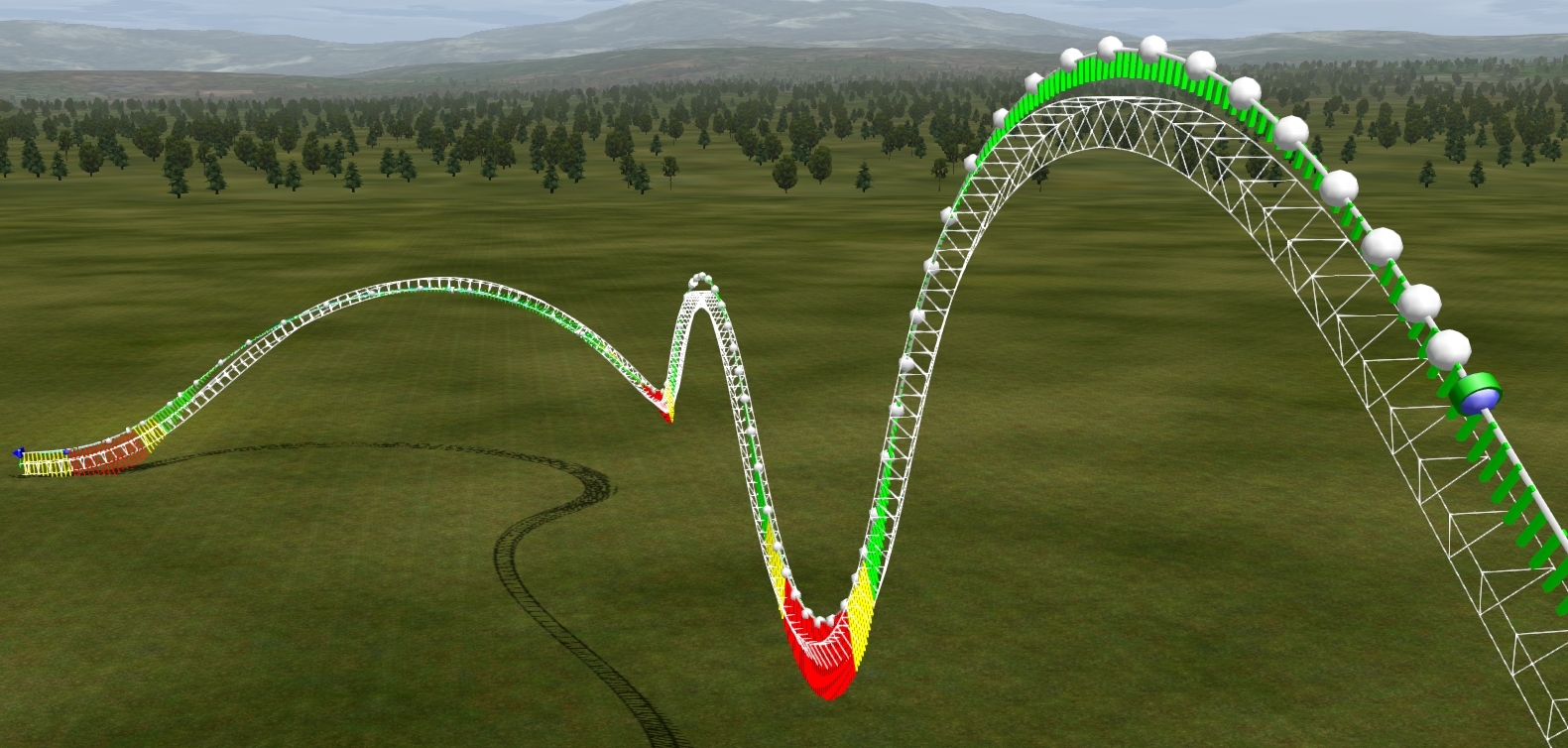
To achieve true smoothness, the only true start and end points for your depump should be flat sections with strict nodes, such as lifts and mid course brakes, when possible, i recommend depumping the whole damn thing if you have the patience, obviously this can pose an issue when your layout is 6000 feet long, but by doing so you will ensure than no pumps exist within the spline. I once spent over a day depumping a single coaster, obviously performance and time taken will vary depending on the number of vertices and the power of your computer.
TIP #3: End points
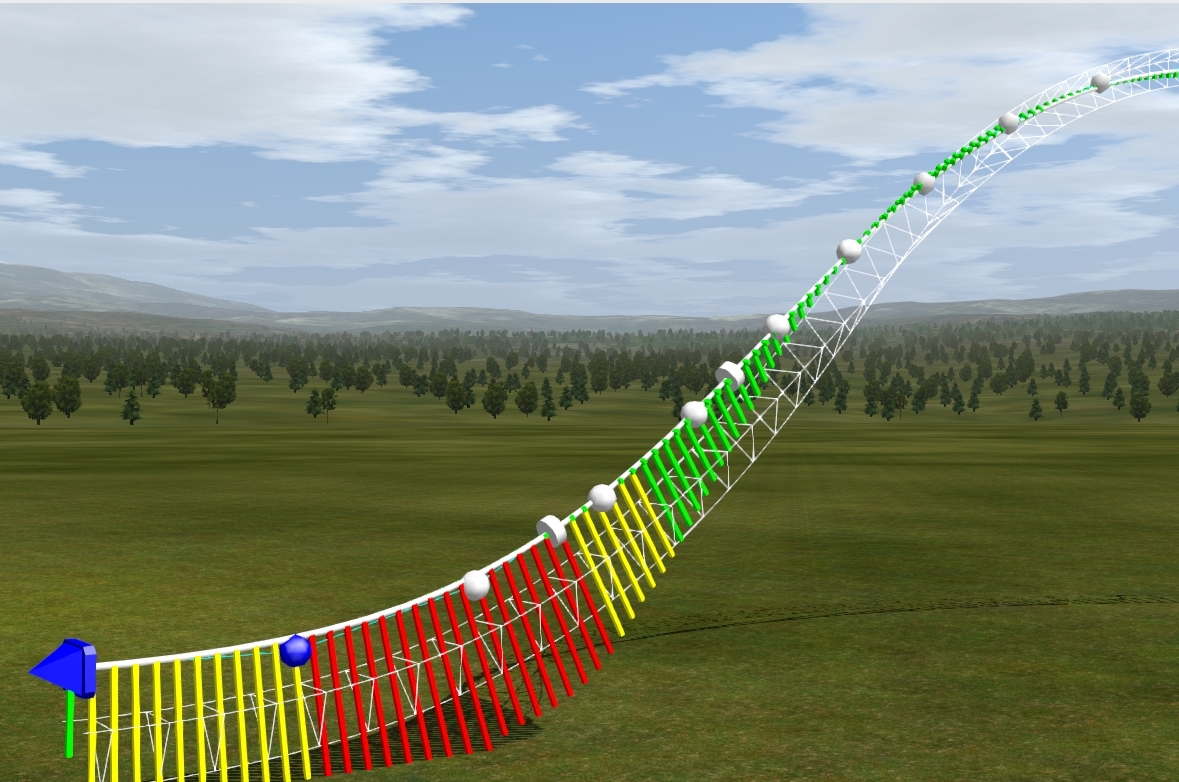
This one is simple, as shown above, when the track is not complete, leave some vertices ant the end un selected, as the depumper will try to straighten them out when you smooth it.
Conclusion
After around 40 mins of fiddling and inserting vertexes and depumping, here is the current state of our over-banked turn.

By this point you will have a solid first draft of your element, the spline should be decently smooth, and the roll should be flowing nicely, in the next episode i will cover the process of eliminating any excess lateral forces within your element, while leaving the roll rates untouched, i hope you enjoyed this instalment, definately delving into some more advanced techniques compared to the banking wobble elimination covered in episode one. Once again let me know if you have any questions on things covered in this episode or any hand-building issues at all that you may have encountered, im sure myself and the rest of the community will have some great advice to help you out.
Until next time, Goodbye and happy building!

^ I'm pressing my right shoulder but I don't seem to get in the joy of entering the bench.

Seriously thank you for pouring hours of your own free time into the site- it looks fantastic and runs very smoothly. Definitely an improvement.
19441 to 19460 of 19724