


All Comments
1881 to 1900 of 19724Filter comments

Mini posted on October 10th, 2023
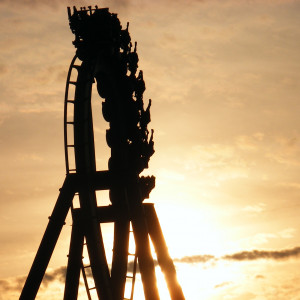
That's the first drop on Loup-Garou in Walibi Belgium!
Yes correct.

Pushed the e-stop?
And you're to blame
Roundup, you give ops a bad name
You create it, you share it, we feature it!
-Ride_Op
That's the first drop on Loup-Garou in Walibi Belgium!
Hint #5 added
Look at this video :
I made this from scratch incl the custom trains (with modified Moonbuggy script)
(NOTE : More then 3 years ago , from images)
Skip to 09:00
Language is Dutch.
Hello everyone, I think I'm a pretty good designer on FVD.
However, I don't have the patience and talent to make beautiful scenery for my coasters. That's why I'm looking for a scenery master to complete what would become our creations. So if you're the kind of person who prefers to do the scenery part, we could combine our talents to bring beautiful creations to life.
Don't hesitate to contact me, I also speak French.
thank you!
It might be the file type you're recording it to. Are you running a Windows computer? If it's saving as MOV PNG, you won't be able to view it because it needs Quicktime to view. But you can edit it (I use Davinci Resolve, which is free) and see it there. You can also capture video in AVI, which should allow you to see it. To change the file type, go to Setup, then the Video Export tab, then change it next to "Format:".
Hint #4 added
Train launchin', baby
Stand back and stand clear, yeah
Checked, loaded, acknowledge, dispatch
Train launchin', baby
Stand back and stand clear, yeah
504, let me Roundup your mind
You create it, you share it, we feature it!
-Ride_Op
thank you
will fvd++ be updated to v 0.80
if you know why, please reply
The POV is just black no coaster at all
I don't know why
Thats not possible or change the lights
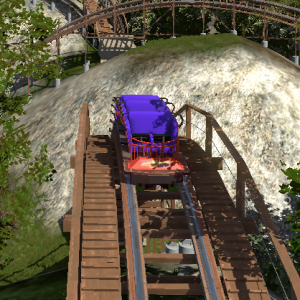
Can anyone give me a tip on how to prevent the lighting from bleeding through my 3d objects? Everything i try doesnt stop this.

Can anyone link the best RMC raptor kit?
Also, does anyone know the friction values I should use in FVD++ with a raptor? I imagine it’s generally a lower friction value.

@ Nixed: Been a while since i made something for an NL2 project, but i may be able to offer some help here.
You'll need to set up and assign an NL2 material (NL2MAT) for each texture on your model. The NL2MAT and NL2SCO Editor in the Scenery tab is where you do that. NL2MAT editor lets you select the textures that should come with your downloaded model, and apply them to the model from inside NL2. If you've done everything properly, then when you select your model and click reload, the textures should appear.
I tried to find a decent NL2 texturing tutorial for you, but a lot of the ones on here, the links don't work anymore.
When downloading other people's models from sites like that, you have to be careful not to get something that's too highly detailed. Something low to med. poly would be recommended for custom scenery. I know a lot of models you see on places like cgtrader are often high quality & detail. But you can find some suitable lower detail stuff if you look around.
I use Google SketchUp for making models. Export it with *.dae extension. And your color of your model does match in NL2.
I have the PRO version of Google SketchUp and NL2, but that doesn't change the oppertunity to make your own models.
NL2 does work the best with *.dae models or *.3ds, but *.3ds seems to have more polygons in the model. Causing in some cases to temp loss of FPS.
1881 to 1900 of 19724