

^ Annoyingly I did have a more recent working version but removed it for whatever reason. It seems the latest working version is v6. Note however, it looks pretty bad, but its functionality it still the same.
Old Version Directory
All Comments
16301 to 16320 of 19726Filter comments

This is really well thought out and would be an awesome change up to the editor, it would certainly make placing and aligning many different track sections easier...

I did not know how much I wanted that until I saw it
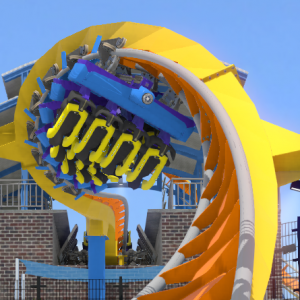
Actually the woodie's layout is pretty accurate for the kind that you were trying to make it. There are plenty of coasters, even modern ones, that have strings of hills one after another.

Hello there! Long-time NL2 user here! Back when NL2 first released the Editor interface was and still is the gateway to creating the outstanding creations we're seeing players and content creators come up with, over time NL2 has become more robust, allowing all kinds of crazy customization, but I feel as if the interface, specifically the Scenery Tab, is starting to fall behind. It doesn't feel intuitive to use, and even frustrating at times. I've come up with a mock-up UI for the Scenery Tab that will relieve some of the every-day frustrations that I encounter, and increase the functionality of using the Scenery Tab as well increasing efficiency when it comes to managing multiple objects.
Examples where the Scenery Editor Tab falls short:
- Having to move an object out of the way to access another one, especially when working in tight or enclosed spaces. Hiding can solve this.
- Placing benches, lamps, trees, bins (any object that uses Terrain Lock) being placed under elevated pathways or plazas. Unlocking Terrain Lock and Setting Y Position to selected objects solves this
- Aligning object that are not on X or Z axis. Local gizmo rotation or placing all objects in a line then using Last Gizmo Position to rotate all in-line objects.
- Recoloring multiple objects. Color Options and Quick Paint solve this.
- Setting all objects to have the same position and rotation (like the M34 NL2 Rides, and Power Tower / Observation deck that come with NL2). Can be solved with a dedicated Copy/Paste Transformations buttons. (Not pictured).
- Object Properties Window keeps getting in the way of what I'm trying to edit. The Dynamic Sidebar takes care of this.

Pictured is a UI Mock up of the Editor being in Select / Modify Mode.
Left Sidebar
- NL2SCO Editor: Opens NL2SCO Editor
- NL2MAT Editor: Opens NL2MAT Editor
- Show Overview: Opens Overview Window
- Unhide All Objects (New) : All objects marked as Hidden will become visible
- Choose: Opens Object Select browser windows.
- Chosen Object Icon: Shows the Icon of the Chosen Object
- File Field: Shows the file location of the currently selected Chosen Object
- Select/ Modify Mode
- Add Object Mode
- Quick Paint Mode (New)
Dynamic Sidebar
Dynamic Sidebar Header Options
- Position | Scale | Rotation Gizmo Buttons: Select one of the options to change the current gizmo. Instead of showing both position and rotations gizmos.
- Global | Local Buttons: Switches between orienting the gizmo in the world coordinates or the object’s local transformation.
- Individual | Median | Last Gizmo Position Buttons: Will change where the gizmo is placed when multiple objects are selected.
** Individual: When rotating or scaling, all objects will move independently individually.
** Median: When rotating or scaling, all objects will move around the average point between all selected objects.
** Last: When rotating or scaling, all objects will move around the origin of the last object selected.
Dynamic Sidebar in Add Object Mode
- Name: Will automatically name the object upon placing
- XYZ Position, Scale, Rotation. + Locks forces this value upon being placed.
- Lock Object (Toggle): Will lock the object on placement
- Lock On Terrain (Toggle): Will enable/disable lock on terrain default from NL2SCO
- Dim Object (Toggle): Set the Dim Object state on placement
- Color Properties Color Channels of object.
Dynamic Sidebar in Select / Modify Mode
- Name: Changes name for all selected objects.
- XYZ Position, Scale, Rotation. + Locks forces this value upon committing changes.
- Lock (Toggle): Toggles locking and unlocking of selected objects. Prevents accidentally grabbing objects.
- Lock On Terrain (Toggle): Toggles Terrain Locking of selected objects
- Dim Object (Toggle): Toggles Dim Object state of selected object
- Object is Hidden from View (Toggle): Will hide the object in the Editor Mode
- Color Properties Color Channels of object. Modifying one color channel will override that color channel for all selected objects.
- Apply: Commit changes.
- Reload: Will reload selected objects.
Dynamic Sidebar in Quick Paint Mode
- Color Channels 1-8: Clicking on an object will apply colors from the Dynamic sidebar to the clicked object. Clicking on an object while in Quick Paint mode will not select it.
** Holding Left Click and hovering over an object will apply colors to the object.
Hotkeys & Shortcuts for Scenery Tab
- M: initiate Move Function if an object is selected
** X, Y or Z, key will lock movement to those axis. - R: initiate Rotate Function if an object is selected
** X, Y, or Z key will lock rotation to those axis. - S: initiate Scale Function if an object is selected
** X, Y, or Z key will lock scale to those axis. - Status bar on bottom will show locked axis
- 1: Opens NL2SCO Editor
- 2: Opens NL2MAT Editor
- 3: Opens Overview Window
- 4: Unhides All Hidden Objects
- 5: Opens Choose Object Window
- Tab: Scroll through Dynamic Sidebar Properties
- Enter: Apply Button / Commit Changes to Object(s)
Potential Hotkey Changes in general:
- F1-F9 Will Select one of the Editor Tabs instead of specific Windows. (Park, Coaster, Track, Element....)
- Tab-Specific Windows and functions will use 1,2,3,4… etc keys.
- Hotkeys will change depending on what Tab is open. (Press 1 in the Park Tab will open the Park Settings Window, Press 1 in the Coasters Tab to open New Coaster Window)
- Hotkeys do not activate if a field (text, number, toggle) is highlighted/focused, or if editor camera movement is active(using WASD to move around in 3D space).
I would like to see this type of efficiency encouraged and streamlined throughout the entire NL2 Editor, (so some tweaks to coaster building and support UI).
-SirMaverick34
The wooden coaster has a lot of airtime hills directly after one another without anything else happening inbetween. That should be avoided, although it is quite easy to fall into this trap.

The Gerstlauer doesn't feel too much like a ride by them, but it's mesmerizing still. I love that drop too.

Thought I'd post a couple more while I rework the Blitz.
Here's an Infinity Coaster. Not sure if Gerstlauer would build a layout like this in reality but I tried to get some of their weird shaping in the elements and I liked the drop:
And a classic PTC-style coaster. This was really fun to make in FVD++. I built it using all geometric sections as functions of distance instead of time.
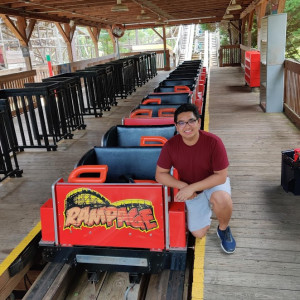
I love how in the second one, Fred Grubb couldn't keep but laughing the whole ride
Here are two reverse POVs of Steel Vengeance showing News Reporters riding
https://www.facebook.com/WGNMorningNews/videos/1937454972933693/
https://www.facebook.com/WSYXABC6/videos/10154796855399364/
Notice their mic packs FLOATING the whole ride.
Lcucu3 posted on April 25th, 2018
Let's hope that Vengeance and the Raptor clones don't have the same downtime as Twisted Timbers haha.
IKR. I would hate to travel 5-6 hours to Cedar Point only to find out Steel Vengeance is down for the day. While it wouldn't necessarily ruin the trip, it would make it somewhat less fun.
2018 or The Year of the Hauling RMCs
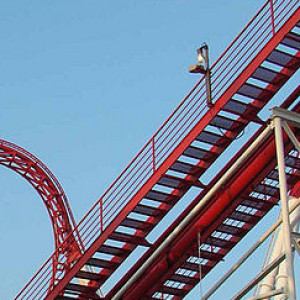
What an excellent recreation!
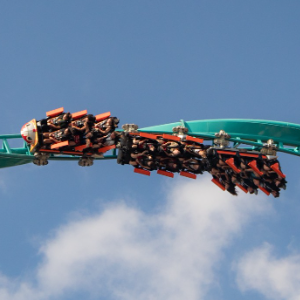
Let's hope that Vengeance and the Raptor clones don't have the same downtime as Twisted Timbers haha. All of the RMC's look absolutely amazing. I've only been on one (Twisted Timbers) and it's easily in my top 5. Considering how much I enjoy speed and nonstop airtime, I think I might need to get out and ride more RMC's, especially Vengeance - good lord that ride looks bonkers.
My response to the Wonder Woman, Steel Vengeance, and Rail Blazer videos is the same: Wow, that is fast.


Pearl Bay Boardwalk
Hi, not sure where to post but has anybody had any luck or found a stable version of FVD++ for macOS HighSierra? Some versions won't open for me at all, some crash non stop.. Cheers, lbwoody

^^That also looks awesome. Gonna have to start planning a Cedar Point trip, I think. That marks three major coasters since the last time I've been there, plus the Mantis -> Rougarou conversion. I'm slackin'.
Also, Rail Blazer is testing. To the surprise of no one, it too absolutely hauls.
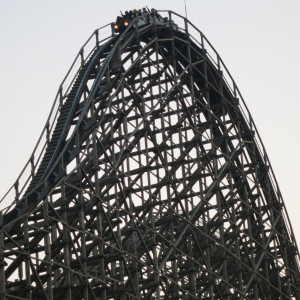
I was hoping they'd release the uncut version of the previous video because it clearly goes faster D: The video above is definitely from an earlier test run. So no, no pacing issues.
16301 to 16320 of 19726