

- can't find trigger 2. trigger misspelled with wrong name (is Case sensitive)
All Comments
16221 to 16240 of 19728Filter comments
Has anybody had any success using track triggers in scripts? I've tried creating a listener using triggerVar.addTrackTriggerListener(listenerVar), but my onTrainEntering and onTrainLeaving methods aren't called, and I get two exceptions, which appear to occur when the train is entering and leaving the trigger.
Exception: NullPointerException
                at public void com.nolimitscoaster.TrackTrigger.onNextFrame()
                at void com.nolimitscoaster.Simulator.nextFrame()
I'm not familiar with Java interfaces, so I'm not quite sure what I'm doing wrong.
Is it possible to make a transfer section act as an unloading station?
SirMaverick34 posted on May 1st, 2018
There also is a rotate function for scene objects introduced in this patch that works similar to the rotate function in the Track Tab.
The funny thing is that this already worked before this update but it also took about two years and an accidental "R" keystroke to figure that out for me. :D
SirMaverick34 posted on April 30th, 2018
- Added experimental copy and paste for scene objects (Enables copy and pasting objects, Colors are copied when duplicates are made, CTRL+C and CTRL+V shortcuts work as well, also works when several objects are highlighted.)
Heck yeah! That might make custom trains a little less tedious to work with.
Thanks to the devs for listening, these changes are small but they're so useful and already improve the ease of use of the scenery tab so much.

Cool little update that relates to my original post. NL2 Update 2.5.5.2 (beta) includes several QoL improvements to the Editor, specifically the Scenery Tab. :) For those interested in the update, here's the change log:
- Added experimental copy and paste for scene objects (Enables copy and pasting objects, Colors are copied when duplicates are made, CTRL+C and CTRL+V shortcuts work as well, also works when several objects are highlighted.)
- Improved scene object selection within the Scene Object Overview panel
- Improved Scene Object Instance Panel (Apply button has been removed, pressing enter while any field is active or clicking out of the focused element will apply changes, Window is also slimmer and the color channels area has been organized better, Colors apply after picking each one.)
- Added Lock/Unlock buttons to Scene Object Overview panel (Selected scene objects can be locked and unlocked easily, I would prefer if it were in the Right Sidebar, but this feature alone is a godsend)
- Locked scene objects are rendered with a red frame now (Instead of the white outlines, they're red if the object is locked)

There also is a rotate function for scene objects introduced in this patch that works similar to the rotate function in the Track Tab.
Thank you NL2 Devs, I really like these little updates, and it is already improving my workflow. Very happy with this update! :)
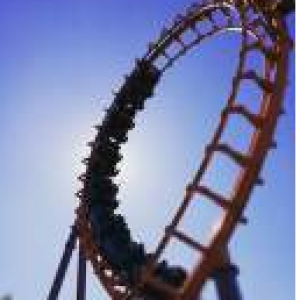


somthing big is coming
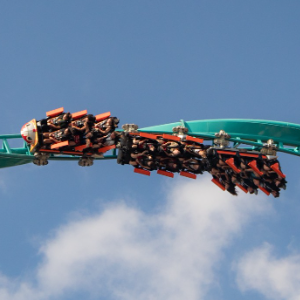
^ I know the GP can be dumb sometimes but I think you would have to be high to mistake a 100 foot-tall coaster with inversions for a kiddie coaster.
^^Wonder if any GP ever mistakes that for a kiddie coaster just because of the incredibly vibrant color scheme and tiny track.
How was it?

^ I personally never believed that rumor.. Any evidences of that statement?
Whoop whoop!
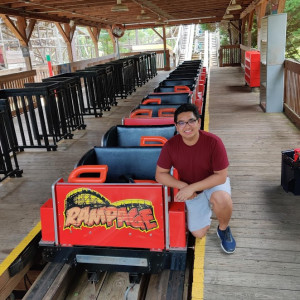
The lift style is akin to Coaster Through the Clouds, which I thought was designed awkwardly to protect the look of Intamin from Chinese companies. It makes me wonder why they used it here

I revived a dead project:

It certainly looks interersting. In my opinion, the lift style of Skyrush, i305, and Flying Aces is the best-looking of the Intamin Mega Coasters

I don't know how I missed this, but holy crap. This is great! Attention to detail and the surrounding environment is impressively well-done. Nice work!
i think someone should get a photo from canadas wonderland's windseeker at the footers so we can try to guess what the layout could be
I don't know, it has a rather intimidating look!

^ I agree. Im sure it will be an amazing ride, but sure looks bad...
Looks ugly
16221 to 16240 of 19728