What, no love for The Bat?

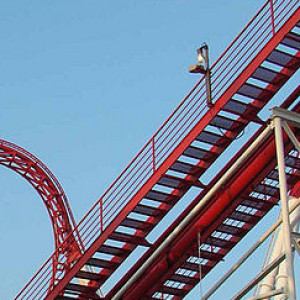
What, no love for The Bat?
Holy, that got way more intense than I was expecting it to be
This Tiny pirate ship!
Hint #1 : Indoor
Weekly Roundup, of love. (say what?)
Weekly roundup, two three zero!
Your love is like a roller coaster roundup baby
I wanna ride!
Roundups are all about your creations. You make things and we show them off, it's that simple!
We are over halfway to Roundup 250! Start your mega projects now!
-Ride_Op
Togo on the right Logflume on the left. 
That looks like the start of a themed project.
Hello,
ich have made a short look to the tutorials, but i have not seen how the UV mapping is done. I think, you must make the texture mapping with blender as before and in NoLimits you have to replace the blender textures by the material textures. I have not seen the material editor until now, i think, you select texture files (and here it is possible to select them in a subfolder?) and add specular, bump mapping, transparency etc. Is it possible to load additional texture files for bump mapping, transparency etc.? I have shut down my windows-PC for today, tomorrow i will try.
Waht i meant with deforming function was different to the transforming functions (below "extruding"). I have seen that before. My little test project was a barrel, i started with a cylinder and found in properties under the wrench symbol a lot of "non destructive" defoming functions. They are usable only for finished objects. So i could squeeze my cylinder so that it becomes wider in the middle. After texturing it with wood textures (for the cylinder i have special barrel textures made of wood with metal rings) and exporting to dae-files, i could load the barrel in NoLimits.
I hope i will find in the book hints how to add or delete single vertices or edges so that an additional edge splits the face to two faces and an additional vertex and additional edges do also split faces to more faces. Also the revers way should be possible, deleting vertex and deleting edges results to less faces. There will be restrictions, if resulting faces will have vertices not lying on a plane or if you try to delete an edge between two faces that are not in the same plane etc. Perhaps "remove doubles" will do somthing of this.
Best regards
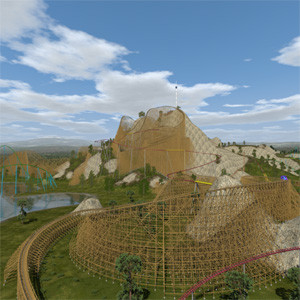
Some progress on the building in front of the lifthill of my Vekoma Coaster:

Since the possibilities when exporting the textures directly from blender are limited anyway (and while actually you should be able to keep them in subfolders without needing to copy them, this does not work very well, too), I think the best solution would be using the textures with a nl2mat file that is assigned to the material that you set in blender.
This will override all exported properties, without this it is not possible to set NL2 specific options like transparency, bump mapping or using specular or the newly added PBR map functionality of nl2 anyway, since there's no standard as far as I know in the DAE format to specify things like this, I guess the same holds for 3ds and low format. (see Jack Kelly's excellent materials tutorials for more details).
For the transforming options ensure you are in Edit mode, then you should be able to see a bunch of options for transforming the individual faces, edges or single vertices. The symbols that will be used in blender 2.8 will hopefully explain by themselves what the functions do. Here's a comparison of both tools (left 2.79, right one of the latest 2.8 development builds). So maybe this helps getting familiar with these functions.

Hello,
some things does now work better. But there is one more problem when i export it as DAE-file. If i say File->Export and set UV-Textures and directly under it i check "Copy" (copy texture files to same folder as dae-file) and i copy dae-file and texture files to NoLimits, it works, i see object with textures. Blender has now copied texture files from subfolder to same folder as dae-file and dae-file uses this files. But for Blender i have put texture files into a subfolder and when i uncheck "Copy" so i want the dae-file refer to texture files in subfolder. If i then copy dae-file and subfolder with texture files to NoLimits, i can also add object, but i get object without textures.
If i have more than one object in a subfolder of park, it is confusing if you have a lot of texture files together with the dae-files and nl2sco-files. It will be much more clear when texture files are in separate subfolders for each object. I have not found a solution to export dae-files with correct reference to texture files in subfolders, the same subfilders i use for the texture files for blender itself.
I think there must be more transforming functions than translate, rotate and scale. E.g. for bending, scaling dependent on height (that makes a pyramid with cutoff top from a cube), thickens the middle (makes a barrel from a cylinder) and so on. I do not know the correct names for these functions in english so i cannot find these functions. Also extruding along a defined line (e.g. spline) etc. Tomorrow the blender book shall arrive to me, i hope i can find then more... The most difficult question for me seems to be the missing reference to texture files in subfolders.
Best regards
And I'm answering to this post here now:
The tools tab only becomes available when there's uv information present for the current object, this happens as as one starts to unwrap a face, assigns an image to a face (which triggers the unwrap for that face) or when one adds a uv map manually (which will automatically happen in both previous cases)
 (no uv map available)
 (uv map is present)
 (managing and checking the existence of uv maps and the possibility to manually add one can be done here for the selected object)
When you just delete every light source (lamps) all faces show the assigned textures without any shading (like black shadows) coming from the lights when the shading mode is set to "textured".

I think these books can help, but even during the 2.7 release cycle some menus and available settings like on the dae file export changed a little bit. Another good source for quickly searching for specific questions and hopefully answers is also the blender stackexchange.
Since there popped up some very blender specific questions in the NL2 ask and 3d modelling threads the idea was to have a bundled thread about blender to search for and ask question about this software, which will most likely be related with creating assets for NL2.
Maybe one might follow with Sketchup, 3ds max, Maya, Cinema 4D, ... threads, too.
I will try to collect some useful learning resources here, feel free to post or private message me some more suggestions.
* My own very informal quick crash course tutorial video how to create and export your first textured object with blender. With many jokes inside about blender 2.79 and what first time users may think of it to give you a first overview, thus all best practices about modeling and tools that would speed up the process in blender are neglected there.
* Blender fundamentals from the official blender YouTube channel that give a more detailed overview over all parts of blender
* Blender beginner tutorial series by Andrew Price that cover more blender as a whole including rendering inside blender
* Blender immediate tutorial series by Andrew Price that has more a focus on one of the usual workflows for creating high quality objects with custom normal maps good practices when modelling objects of professional quality
* Level Of Detail tutorial for NL2 objects and custom tracks by secretimbecile. It shows a way to use level of details, a useful method to manage the performance impact of your objects while maintaining a good visual quality. LOD tutorial by secretimbecile
We're under 2 weeks to go! Who's excited? Who's enjoying this list of subtitles?
-Ride_Op
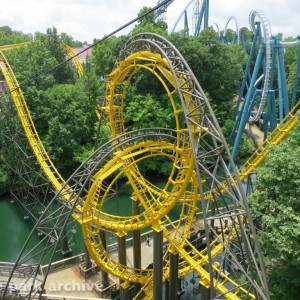
My new log flume!
bestdani posted on July 2nd, 2018
This looks fantastic! Great to see, that there's still progress. I answered to your question in the ask thread already, but now I have some more context to edit my answer a little bit.
Thank you, and thanks for the quick response. I'll check it out! Then I can finally start with the animation.
EDIT: Finally imported NL2!

This looks fantastic! Great to see, that there's still progress. I answered to your question in the ask thread already, but now I have some more context to edit my answer a little bit.
Great work. Maybe I can convince some friends to try it out together when it is fully released.
Yesterday Baron 1898 became 3 years old.. So here an preview of the new Gustave Hooghmoed. I only have some problems exporting the textures from Blender to NL2 (first time).. So if anyone knows the solution then I would like to hear it!
The preview:

^ OK!