
^^Nope
^Correct! Your turn!
All Comments
14401 to 14420 of 19728Filter comments

Here are some links that could be useful if you seek such details:
Sensors:
Pepperl+Fuchs
Magnetic brakes:
Megamag
Rietschoten
Velocity Magnetics
Magnetar
Magnetic launches:
Indrivetec
InTraSys
Force Engineering
Harness moldings:
RS Alberts
Wheels:
Hamilton
Uremet
Maclan
Vulkoprin
Chain lift:
Renol
Ketten Wulf
Power transmission systems (think of powered coasters for instance):
Vahle
Dummies:
ETD
Coaster trains and special parts:
Valente
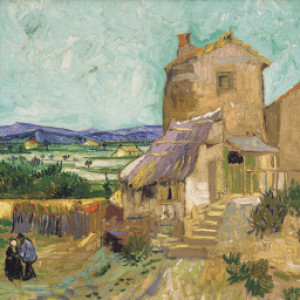
[Asset] Distant trees set
The tree lines objects that were introduced with the HD foliage assets a while ago are great, but lacking in variation when used by themselves. I made a set of 2D assets recently based on Nolimits' original 3D trees. Use them to cover your distant terrain with highly performant foliage.


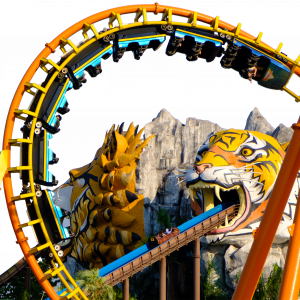
Wild Hilde Testrun.
Hi, I was just thinking about a place where we could find good rollercoaster details, like track-sensors, pneumatic systems(for brakes), etc.
I thought let's make a thread for it so everyone can find+post things here.
Let's start this topic with a Track-sensor (I know at least Gerstlauer use them)

@Karacho

^^Oh so THAT's why it wasnt working a while back, Thanks!
Heidi The Ride @Plopsa

Balder @ Liseberg
New Guess:

Someone else can go sorry

(Click to enlarge)
Having a go at building a full park in Nolimits, never really attempted something like this, hoping I don't lose motivation.
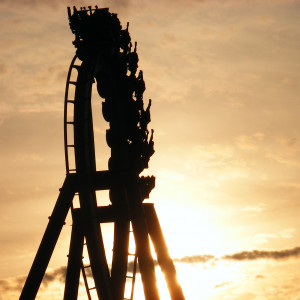
Better shaping on the pretzel, and the cross ties have been altered. I also have more support work on the towers, including the beginnings of the arches.

Edit: Upon further research, most of the supports were light gray. Only the supports in the pretzel were white. I also have finished the supports on the spikes.

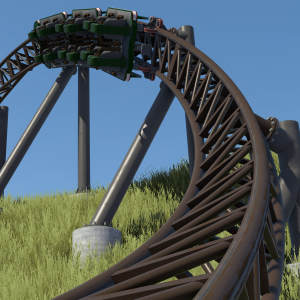
GeCoDe posted on August 11th, 2018
is that arc 2?
No.
disco posted on August 17th, 2018
But I know others who don't really notice a difference between the two. YMMV, I guess!
I wonder if there may be correlation between one's body type/size and their perception of the restraints? Myself, Im a rather slim guy, I don't notice much of a difference at all.
in my opinion, if griffon were to have vests, it would be my least favorite dive out of all of the US dives. But with the regular restraints, it stands as my favorite US dive. While it may not have the best layout objectively, the restraints put it above valravn because i can enjoy griffons airtime and hangtime moments more than i would with the vests.
I dislike vests but they don't ruin the ride.
Picking up on this convo, overall I don't mind the vests. Especially if it allows GP to enjoy a ride more. However, some people seem to find dive coasters pretty boring, because the floater's not very exciting. Having been on SheiKra and Valravn, I vastly prefer SheiKra because the drop feels much crazier. The only reason I can deduce that is due to the restraints - you just get that extra little bit of floater. It's hard to describe. Being stapled kinda kills it IMO.
But I know others who don't really notice a difference between the two. YMMV, I guess!

COASTERGUY246 posted on August 16th, 2018
Had an idea while on the train, decided to give it a very quick go
Basically, I created an object the size of the nl2 environment, set it to have a constant colour, then used it as a green screen to potentially overlay some sky time-lapse's with. Nothing too serious, just wanted to try it out
This is so clever and the result is fantastic. I could’ve used this for so many videos too. . .
How to Create Passable Cinematic Content
Intro
One of No Limits' greatest capabilities is the stunning videos it can produce. Most announcement videos for real rides don't use the full potential of the program, often skipping a beautiful look for a straightforward presentation. I don't know if I can change that, but I'd love to help everyone on here make better videos. In this series of tutorials, I'll discuss everything from conceptualizing a video to more advanced editing and special effects tricks (yes, you too can learn to make flying train dream sequences).
Where to Start
I think a big mistake that many people make happens in the "I just finished my project, now what?" phase. Randomly editing clips together over EDM often comes off as lazy, so here are my tips to give your video a strong footing from the start.
--> Decide on your music (if any) before shooting your video. Doing so allows you to make purposeful stylistic choices to match your tune.
--> Don't shoot your footage without a clear idea of how you want that clip to look, or go along with the music.
--> If your music changes or shifts in anyway, adjust the style of your filming to match. This can be something as subtle and changing the field of view, how the camera moves, or the color grading of your clips. You could also always go with a classic day-to-night shift (tm).
--> Don't let your skill set define your shot. If you imagine a beautiful, fluid long take in your head but can only pull off a wiggly handheld flying shot, consult the two camera scripts that are available (I'll cover these in another post).
--> Finally, be creative! It's a very vauge instruction but essentially means to show us something we haven't seen before. Videos that do crazy new things always stick with me.
Filming
I'd recommend recording in the .avi format to retain the most quality BUT you can only afford to do that if you're using a solid video editor like Adobe Premier Pro (my bread and butter) or The Other One I Think It's Called Sony (tm). I think your recording habits are the most important aspect because you can really say a lot with little to no editing required. Of course post production can work wonders if you have the time. On top of the ideas listed above, it is crucial to film with a clear understanding of how each clip will fit into a sequence. Motion is a very important thing to consider. You can lull your viewer into a dreamy state by keeping the directional motion of shots continuous between cuts (ex: a shot that pans right and then downward is followed by a shot that begins panning downward), OR you can create jarring cuts that go in opposite directions if you feel the need to. Most importantly, keep your shots moving. Stationary shots, unless briefly in opening or closing, are boring. And, as a personal preference, long handheld walking through the queue shots should be banned.
Editing
(This section is mostly applicable to Premier Pro)
The most important step of editing in Premier Pro is rendering your sequence in the editor so your playback is fluid and matches up with the music. You can do this by selecting an "in" and "out" on your timeline and then clicking "sequence" --> "render in to out". You may have to wait the first time you do it, but constantly updating your sequence is crucial to a good edit. Also, make sure you audio clips (music, SFX) are expanded enough so that you can see the beat; this usually appears as "spikes" in the audio track so you can easily place a cut on the beat to look like a pro. Finally, never be afraid to send me or anyone you trust a draft of your video. Peer review is a great way to catch little things and really tighten your video up; you should never be afraid to take helpful pointers/critiques from friends. I'm going to go more into editing specifics based upon requests, so if you have any questions feel free to leave them below.
Conclusion (TL;DR: create videos with purpose)
I'd love to teach about the specifics of any SFX or filming methods, but I thought the theory behind a good video would be a great place to start. If you have anything in particular you would like me to cover, just tell me below and I'll be sure to get around to it. In the meantime, try out these great(!) scripts on a park from the exchange!

When I do flyers, I try not to go over 3G in the flying position, 4-ish G in the laying position.
14401 to 14420 of 19728