

Yep.
All Comments
1401 to 1420 of 19724Filter comments

ThatFlyerGuy1 posted on April 13th, 2024
Not valid as it doesn't have a name yet. SWSA new ride.
Yes correct. I assume u mean SWSA SeaWorld San Antonio ?
Not valid as it doesn't have a name yet. SWSA new ride.
Since 3 days have past here a new guess :

secretimbecile posted on August 6th, 2018
^
Firstly, why this is happening: Nolimits 2 stores tilt values between -180° and 180° and wraps them around so if say a corkscrew has two roll nodes with 179° and -179°, there's a two degree tilt between them. In blender however, vertices need to be interpolated between for various uses (e.g. camera paths), so the developers decided to allow any value (-∞ to ∞) but with no wrapping. The -179° to 179° segment becomes a 358° tilt.
Edit your curve, and open the toolbar on the right of the 3D View window, Find the node where the tilt value changes by a large amount (usually a multiple of 360), in my case it went from 188° to 538°. with the first skewed node selected, Ctrl+RMB on the final vertex in the curve to select the rest of the vertices. Press Ctrl+T and adjust the tilt (in my case I typed "-360" and pressed Enter). This will fix the first inversion. Repeat this process for each glitch.


Hi, i have the same problem in blender where the track kinda glitches at some points but when i select that vertex and then the end vertex and then tilt it with -360 it doesnt fix the track glitch. I was wondering if maybe you knew an other solution. Thanks!

Coaster shirt, comfy shoes
And I don't know what I'm ridin first
Floorless? Hyper? (Hyper?)
I'd better make up my mind
Crowds come runnin' just as fast as they can
'Cause every one crazy 'bout this Roundup, man!
You create it, you share it, we feature it!
-Ride_Op
@Marc would u like to place a new guess or leave it to somebody else ?
No problem. Feel free to ask again.
I figured it out. I first generated the wood supports with the generator excluding the handrails, then I selected all the supports at once and changed them to L Beam 3x3 in the supports panel. Then I used the generator again to generate only the wood handrails. I thought I would have to change them all seperately which would be too much, even on a small coaster like this. Thanks for your help MrRC!
I just tried it, But thats not possible unless u change all the supports manually.
I am currently working on a park that is on an island in the middle of the ocean. I have a Gravity Group family wood coaster that I am making for the park, and I am wondering how to generate metal supports instead of wood supports with the wood support generator. Being an island in the middle of the ocean, this park gets a lot of Hurricanes. So all the rides need to be able to withstand that. Gravity Group wood coasters usually have metal supports anyway. I hope this isn't a newbie question, but I genuinely can't figure it out. Any help is greatly appreciated.
Marc posted on April 4th, 2024
Jungle Dragon @ Dragon Valley Theme Park
Yes correct



Hello everyone! You might recognize that these images represent my very first upload to Nolimits Central, a recreation of Maverick from Cedar Point. Well, it has come time to give it a well-deserved update! Check it out once it's uploaded. You'll be surprised at what you see (and hear as well).
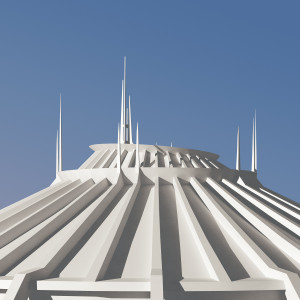
Jungle Dragon @ Dragon Valley Theme Park
Here we go :

Thank you!
We climb, I feel the fear of uncertainty ringing near
And I, I can't help but ask msyelf how much I let the fear of rails and wheels steer
I've ridden it before, but it seems to always beg
A haunting death appeal
But lately, I'm beginning to find that I
Would be the one inclined to feel
Dispatch, then whoa, whoa, whoa they launch me
Then coasts till brake me run back in line
Then watch Roundup
Five three zero
You create it, you share it, we feature it!
-Ride_Op
@ TheTurtle
Problems all fixed see your email.
Solutions :
Fixed it.
Your lift speed was so high, the 2nd train didn't leave quickly to clear the brake block.
Your Final Braking wasn't set correctly. U have to set it to the speed u like to have when train is exciting the Brake section.
I divided the Final Brake section in 2 portions. And added an Transport section between Final Brakes and Station.
Your Station settings where in correct : Passes was set to 1 , must be 0 (set this to 1 only for a type with a backwards lifthill (like a Vekoma Boomerang))
Hi Adam, @The Turtle , i got your mail
It does give an error saying multiple trains on a block, but the deceleration is set to 0.8 Gs on the brakes (and the speed limit is pretty close to the speed of the approaching train), but it still gives the error, and I have no clue what to do about it advancing through the station either.
I did send the PKG file to your email address, @MrRC.
1401 to 1420 of 19724