
All Comments
12481 to 12500 of 19729Filter comments
Why find another solution ? Google Drive is a free and permanent Dropbox alternative, isn't it ?
I need more information on Zip before I do a recreation. The only photos I can find show the helix side of the ride. There's more on the other side, but I haven't found anything on that yet.
Coming soon is Blue Streak at Woodcliff Pleasure Park in Poughkeepsie, N.Y.

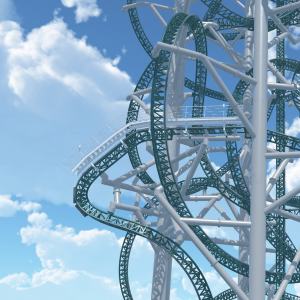
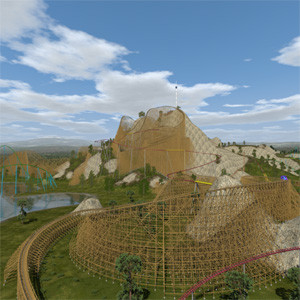
This recreation took me under a week to do, mostly because the only information I could find was a handful of stats (70 feet tall, 120- to 130-foot ravine drop, 65 mph) and this single image from a postcard. I'll be working on a POV shortly.

Yeah, according to the picture, we weren't expecting it to be a Giga Coaster.
Take another ride on the roundup highway
Take another ride try 253 round
Take another ride down the roundup highway
Take another ride try to watch them online tonight
You create it, you share it, we feature it!
-Ride_Op
Oh right. My bad.
Just change the default track position on the transfer
The editor tells you how many objects are selected.
If you counted one by one, I believe you.

Yes!!! Thank you so much for the non-Steam link! This is incredible work!
I have placed 63,923 objects so far on my Rude Boy Ting scenic railway 100% custom wooden track. 
I tried making a elevator lift using the transfer table tilted 90 but the track will not start in the lower position when i go into the sim.  Do I have to flip the table around?
This just confirms I'm a massive idiot lol. Changed to lower case 'o' and adding the following to the OnInit, for every trigger
startTimer = coaster.getTrackTrigger("startTimer")
Thanks RK Rides and bestdani, it works like a dream now!
EDIT: If I want the trigger to 'read' which train is passing over and react to each train in a different way. I can make a private int that stores the train handle and specify with an if - and statement what to do for each train and each trigger, correct? How can I make my trigger 'read' which train is passing?
Thank you in advance!
DisneyMatt posted on December 10th, 2018
I still just want an easy way to do a drop track. . . That's like the number 1 thing I want in NL...
Completely agree, we have tilt sections so just need drop tracks and elevator tracks.

You misspelled the methods you have to implement, the NLVM programming language is case sensitive, this means OnTrainEntering is something completly different than onTrainEntering. Like in Java you should stick to the convention to just use upper PascalCase for classes only and for methods and variables lower camelCase.
Edit:
Why the heck the already correct answer wasn't shown until I posted?
Temporary non steam link (note this link will become invalid in the future!): Scaleable Build Shapes
Temporary non steam links:
Note these links will become invalid once I have a permanent solution! Also don't expect updated version using these links:

Since you want to implement the abstract methods of the parenting class you have to make sure the names are exactly the same.
This means you have to use lower case o's for 'onTrainEntering' and 'onTrainLeaving'.
Hi! I'm trying to write a script that will prompt the time it takes one specific coaster train from one trigger to the next one. This will help me to time effects on a video that I am trying to create... more info on that project soon!
The script underneath is attached to my coaster. The error that I am getting is "An abstract method from a base class or interface is not implemented:
"public abstract void com.nolimitscosater.TrackTrigger.onTrainEntering(com.nolimitscoaster.TrackTrigger.com.nolimitscoaster.Train)"
"public abstract void com.nolimitscosater.TrackTrigger.onTrainLeaving(com.nolimitscoaster.TrackTrigger.com.nolimitscoaster.Train)"
When I try to change my public void -> public abstract void I get the following error:
"Abstract method has body"
If someone would be willing to help me out, that would be greatly appreciated!
Excuse me for the mess that is the script underneath here, I'm not too familiar with the NL2 scripting language...
import com.nolimitscoaster.*;
import nlvm.lang.*;

public class TimerScript extends Script implements TrackTriggerListener
{
	private static final String scriptName = "TimerScript";
	private TrackTrigger startTimer;
	private TrackTrigger readoutTimer;
	private TrackTrigger endTimer;
	private double startTime;
	private double readoutTimeElapsed;
	private double readoutTime;
	private double endTimeElapsed;
	private double endTime;
	private double totalTime;

	public bool onInit()
	{
		Coaster coaster = sim.getCoasterForEntityId(getParentEntityId());
			if(coaster == null)
			{
				System.err.println("Attach this script to a coaster in the coaster settings tab");
				return false;
			}
			else
			{
				startTimer.addTrackTriggerListener(this);
				readoutTimer.addTrackTriggerListener(this);
				endTimer.addTrackTriggerListener(this);
				System.out.println("Triggers initiated");
				System.out.println(scriptName + "will start timing coaster" + coaster);
			}
			return true;
	}

	public void OnTrainEntering(TrackTrigger trigger, Train train)
	{
		if (trigger == startTimer)
		{
			startTime = sim.getCurAbsSimulationTimeSec();
			System.out.println("Start Time: " + startTime);
		}
		else if (trigger == readoutTimer)
		{
			readoutTimeElapsed = sim.getCurAbsSimulationTimeSec();
			readoutTime = readoutTimeElapsed - startTime;
			System.out.println("Readout time: " + readoutTime);
		}
		else if (trigger == endTimer)
		{
			endTimeElapsed = sim.getCurAbsSimulationTimeSec();
			endTime = endTimeElapsed - readoutTime;
			totalTime = endTimeElapsed - startTime;
			System.out.println("TIMING RESULTS");
			System.out.println("==============");
			System.out.println(" Start time recording " + startTime);
			System.out.println(" Readout time recording " + readoutTimeElapsed);
			System.out.println(" End time recording " + endTimeElapsed);
			System.out.println(" Total time " + totalTime);
			System.out.println(" Zone 1 timing" + readoutTime);
			System.out.println(" Zone 2 timing" + endTime);
			System.out.println(" === End of timing === ");
		}
	}

	public void OnTrainLeaving(TrackTrigger trigger, Train train)
	{
	}
}
Hello,
nice would be a popup window with coordinates for support nodes like "F2" for track vertices or for scenary objects. It would make construction of individual supports much easier and more precise. This window needs only editable coordinates for X, Y and Z, there are no scaling factors or rotation angles, also no additional check boxes like "strict" etc. It is very difficult to adjust (or even find a new set free node...) to an accurate place. In top view, front/back view or left/right view the maximum zoom is limited, only in perspective view you can go very close to a node. But you can only adjust in 2 dimensions perpendicular to the viewing direction. In perspective view this direction is not exactly defined.
This window could also be activated by "F2" for the actual selected node like for track vertices when support tab is selected.
It would also be nice if the maximum zoom for top view etc. can go a little bit further to more details, for better adjusting support nodes, objects etc. by mouse or for easier measurements on existing objects. I have measured the dimensions of track gaps in stations for some coasters for making my own stations, but is is very difficult to get an accuracy of 0.01m (pointing with mouse cursor to edges and look at coordinates in status display).
Best regards
12481 to 12500 of 19729