
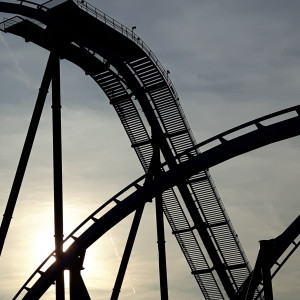

El loco recreation by Ward
All Comments
11741 to 11760 of 19729Filter comments
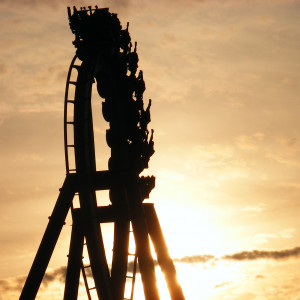

Million Dollar Coaster at Rocky Glen in Moosic, Pennsylvania. Re-creation by me. It operated from 1946-1957.
Million Dollar Coaster is complete. It doesn't look like it had much airtime since the hills are so big, but there might have been some in the back seat.
POV coming soon.
Thanks for the initial messages, all responded to.
My requirements have changed, just to update.
- I am looking for 3 bespoke rides increasing in thrill factor for our events.
- Must be graphically as good as possible for use with vive.
- Must have outstanding performance as I will run at 150-200% resolution scaling.
- Whilst simple, we will want decent music, scenery and lighting.
- Must run great with simtools for telemetry output to motion platform.
The idea is everyone does the first experience and wants the second and third to complete the 'experience'
cheers
There's are no special tasks in your modelling tool (Sketchup) involved,
In a nutshell, you have to add entity colors to your NL2SCO object and then use the programmable NL2MAT shader core to define how the entity color(s) are used on your object.
The best way is to study how it's made on an existing demo object. The Area Sound object is accessible through your normal file system in NL2's installation folder and it uses recoloring.
It's also good advise to read the part about the NL2MAT but especially the part about the programmable shader core in parallel while investigating how it's done on this object.
You can also download more recolorable objects which you can find from the resource thread for example to study how it's done on these.
How do i make an object recolorable? (Im using sketchup) Thx C:
Got it now thanks for the help!
Ok but i can't even find a material to double click on

LostSoul1599 posted on February 14th, 2019
How do i assign the textures or NL2MAT's to the object in the NL2SCO tab? the help tab says something about an add button but i don't seem to have that
double click on the material that you want to add a NLMAT to then a box will com up where you can either make a NLMAT or select one
Or better could someone give me a little step by step guide to add nl2mat's to custom object?
How do i assign the textures or NL2MAT's to the object in the NL2SCO tab? the help tab says something about an add button but i don't seem to have that
secretimbecile posted on February 14th, 2019
You assign them to in the NL2SCO editor.
Make sure you export in a format that preserves the blender materials, they should all be listed in the materials tab of the editor
Thanks do the then just work as normal textures?

Does anyone have any decent tips about modelling trains in Sketchup? Best plugins to use, any helpful tutorials, general tips etc?
You assign them to in the NL2SCO editor.
Make sure you export in a format that preserves the blender materials, they should all be listed in the materials tab of the editor
yeah, your right
How do yo apply a NL2MAT in to a 3D object?
(I'm working with Blender)
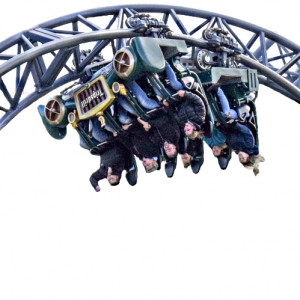
Green Dragon @ Greenwood Forest
new guess

Your correct.

^ that's the only other RMC with that wheel setup so yes.
11741 to 11760 of 19729