zacharynolimits1999 posted on September 11th, 2024
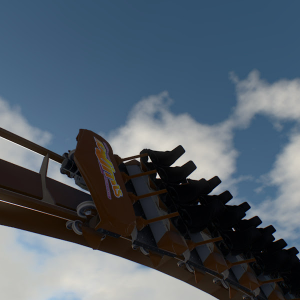
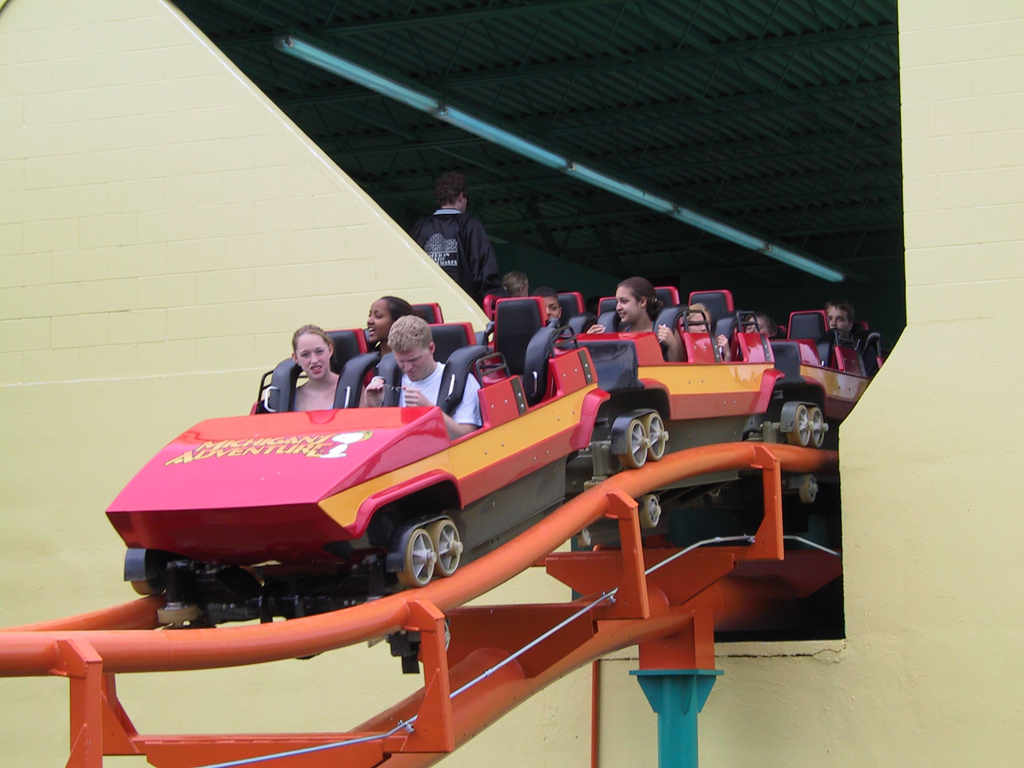
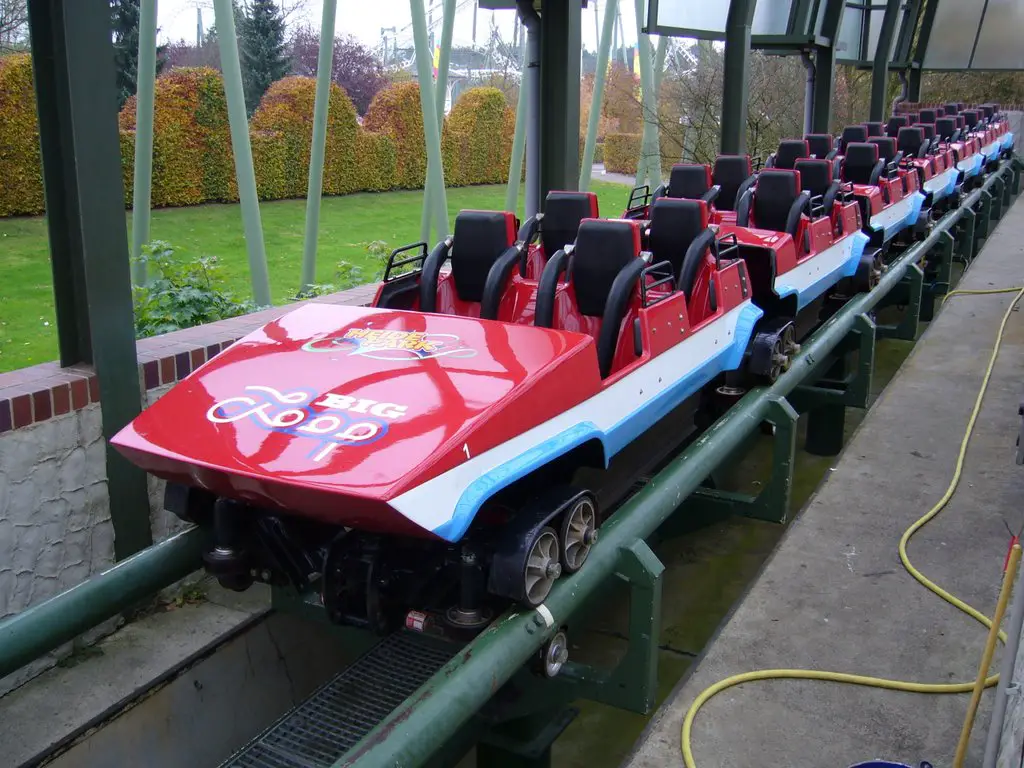
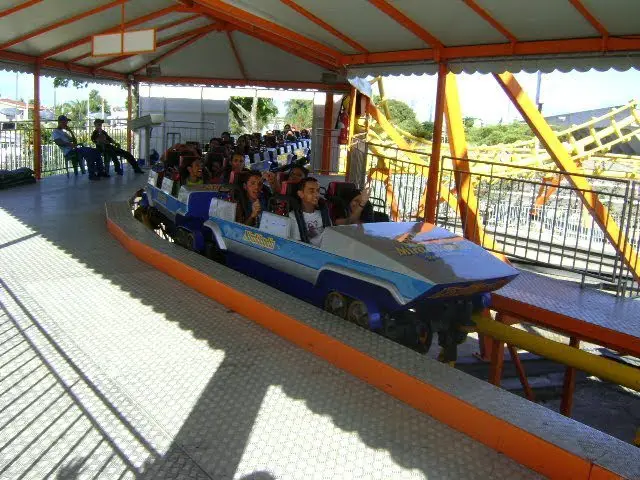
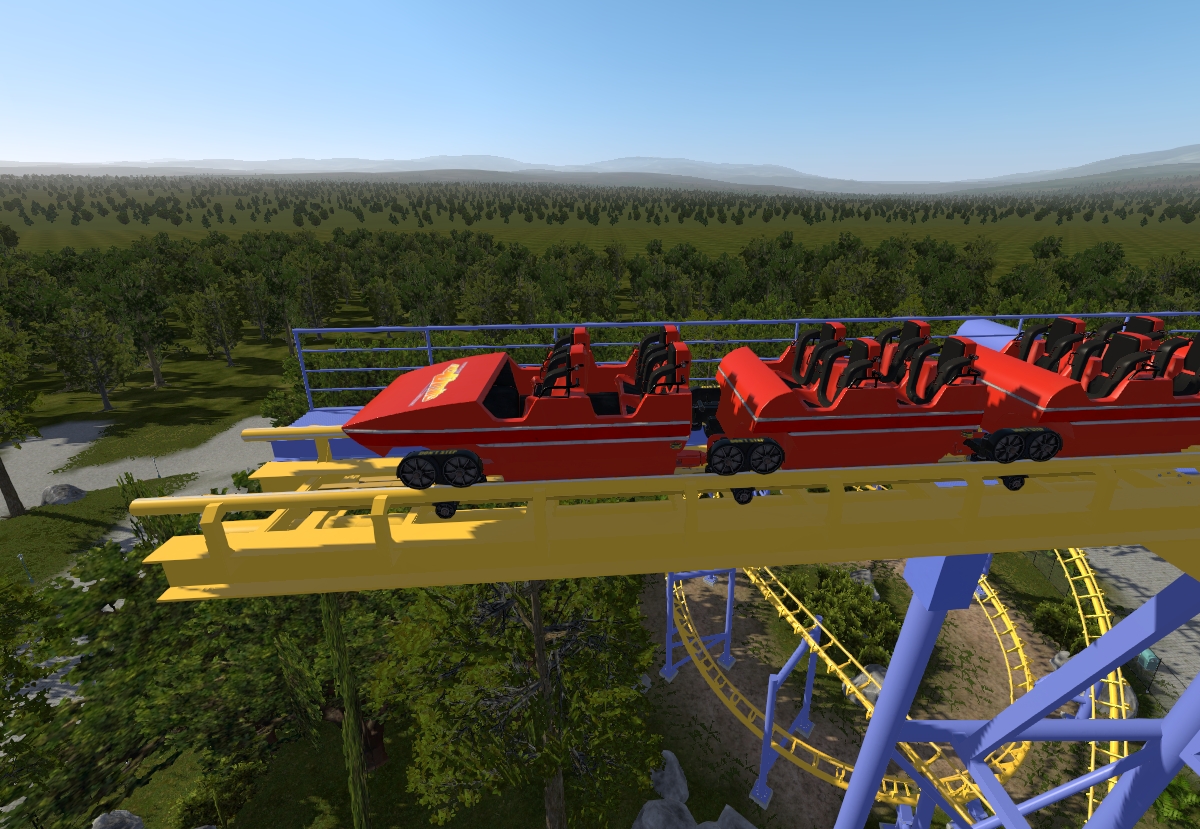
I made Arrow Dynamics First-Gen Corkscrew Trains Car Textures for NoLimits 2 on my updated Arrow Corkscrew & Loop and Corkscrew coaster recreation.
Looks amazing !!! :-)

zacharynolimits1999 posted on September 11th, 2024
I made Arrow Dynamics First-Gen Corkscrew Trains Car Textures for NoLimits 2 on my updated Arrow Corkscrew & Loop and Corkscrew coaster recreation.
Looks amazing !!! :-)
I made Arrow Dynamics First-Gen Corkscrew Trains Car Textures for NoLimits 2 on my updated Arrow Corkscrew & Loop and Corkscrew coaster recreation.


Whoa, yeah! Tall ride!
Roundup easy, baby
Air to last all night (ejector all night)
She was an RMC ride!
Our next Mega Roundup contest will happen with Roundup 600.
You create it, you share it, we feature it!
-Ride_Op
Hi guys I'm a bit of a novice when it comes to NL2 scripting but can anyone tell me how I can script a button to play an off ride sound? Thanks a lot
You've already posted that, no need to share your whole entire post all over again.
any updates on rock n rollercoaster?
Hello, NLC community. I was hoping to get more insight to an issue I am having. I have already let the NL2 devs know about it, but I was hoping to get a bit more information from other users in case the problem may actually be on my end and/or to see if other users are having the same issue.
Unfortunately it seems the latest update has completely broken the physics in the simulator. Namely, the transport and brake sections behave differently dependent upon whether or not I am looking at the train while it is running. For example, on the coaster I am currently working on, I have a block I need the train to stop on before a swing launch. If I look away, the train stops on the block as normal. If I look at the train as it goes through the preceding section of the ride, it whizzes right past.
This is something I have witnessed over many cycles. The coaster is in scripted mode and uses custom block logic builder.
Insight from the user community would me much appreciated.
Hi there
I am new here and very excited, to join this community.. I am particularly interested in any beginner tips you might have. Also, if there are any threads or topics you recommend for a newbie like me, please let me know.
Thanks for having me here. I am looking forward to contributing and learning from everyone.
With Regards,
David
Oh Ok thanks.
Do u have a PKG file downloaded ?
If not and if u have the soundfile in OGG u can use the soundhelper with a tracktrigger to activate the soundfile.
how do i add the intamin lsm sound to my ride? do i have to script something?
zacharynolimits1999 posted on January 10th, 2023
Do you want one? I'm not opposed to it, but which coaster are you thinking of? You said "custom" so I'm not sure what exactly you want - Rock 'n' Roller Coaster is basically just that - look closely at the shell - it's basically first gen arrow shaping (especially the front car which has a perfectly flat front interior wall).
Yes I want that. Actually just Arrow first gen corkscrew/looper train. This looked like this:
In Nolimits 2, they used Arrow's second gen corkscrew trains like this:
real life
in-game screenshot
Those trains would be used for pre-1984 Arrow creations or recreations.
Let me test this for my self. OK that didn't work as i thought.
Let me try again
EDIT :
Can't be done.
How do I do the first part after I flip it then I can use the mirror layout button and I’m done
Yes u can do that
Select all the vertices (using the mouse) and flip them 180 degrees
Oh wait, then is the layout mirrored
Hello, I have a coaster and I want to flip it upside down same layout just upside down. If anyone could help me find out how to do this that would be helpful, Thanks in advance.
@ EulerVS
Was my tip helpfull ?
Other directions then Up / Down is using the cursor buttons on your keyboard
"which tends to make big jumps in distance" >>.(u can change the snap in the editor perhaps ?), just a guess.
MrRC posted on September 3rd, 2024
Click and hold left mouse button and drag them in the direction u like.
Yes - but I want to do that while constraining to single zxis (i.e. vertical only) - when I click and drag on a vertex in any of the orthographic views, it allows movement in 2 dimensions - I am looking for the key command to limit the dragging to only 1 dimension. Is this possible (other than the page up / down keys - which tends to make big jumps in distance).
Yeah, rollin down a drop that really felt too steep
Feelin' G intensity, goin' wherever it leads
Rollin down a drop
Our next Mega Roundup contest will happen with Roundup 600.
You create it, you share it, we feature it!
-Ride_Op