

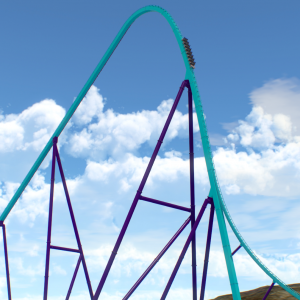
Formule X @ Drievliet Family Park
All Comments
9881 to 9900 of 19729Filter comments
Hi ! I love creating coaster on NL2 but unfortunately, I don't have time and enough power on my computer to do nice scenery. This is why I'm asking here if someone would like to do something like a partnership with me, I create the coaster layout and you create the scenery. I already have a project and a layout saved.
Feel free to contact me if you want to see the layout or discuss with me about.
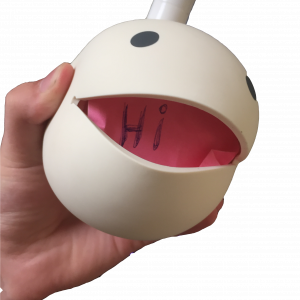
It looks really cool. But you have to consider that having so many polygons will cause your game to drop fps like mad.
@ ThatFlyerGuy1
I understand :
Solutions :
-
The Backwards Spike was to low (Causing a crash)
-
TransferTable return trigger was not nessecary coz there where 2 trains on the coaster, so plenty time to reset the TransferTable
-
The position of the trains was incorrect (1st train should be in the station, 2nd train should be on the LAST brake before the station.
-
The waiting time on the Transfertable was SHORTER then the time it to travel from point A to point B, so the train drove off the Transfertable.
-
Many settings on the Transfertable where incorrect so the train started to Launch when the Transfertable was moving (towards point B)
-
Final brake (the last before the Station) was not braking hard enough so the Train "overshooting" the Final brake before the Station causing
an red error (Multiple Trains on same Block) -
Soften some Transport device settings to make it more realistic.
Is there any reason you insist on solving things through DMs? There may be other people with exactly the same issue, but can't solve it as the solution was kept private.
p o l y c o u n t
Done, check email + check your PM
Thanks!
I got it now, i will let u know.
I have decided to start modelling a new coaster train. The goal is to create something that hasn't been seen before that looks really cool. But for all I know maybe this has been done already. It has a new wheel assembly/boogie design that's about 75% drawn. I figured I would start a thread and upload some pictures as I go about drawing this. I hope to be finished by February 2020 or earlier. Work will determine how much time I get to spend on it. Here's a teaser to start things off.

I'd say August 31

Mine are set to PageUp and PageDown.
I'm not sure if this is default behaviour, so:
Enter Setup, choose Controls, find Fly Up/Jump & Fly Down/Crouch and set to Space/PageUp & X/PageDown.
I messed up on voting, I guess I don't know how twitter voting works (I thought you could vote for more than one). I chose September 21 on twitter but I prefer August 31. I think I can still make it either way so if it's too much of a bother don't worry about it.
Voting time!
https://twitter.com/nolimitscoaster/status/1158257382599696386
These dates had the most votes (with my availability also factored in).
-Ride_Op
U did send me NL2PARK file instead of NL2PKG file
I've sent it over, it's just an example layout.
Can u send me your saved park package file to [email protected] and i will look into it.
So i'm using BestDani's and have everything set up but the train just won't leave the station. Getting no errors and as ar as I can tell I have done everything correctly.
Ride_Op posted on July 11th, 2019
Posting again for posterity (and to have them in one place:
Editor keyboard shortcuts:
Spacebar = Select/Modify
R = Rotate
Q = Add Flange
E = Add Freenode
Y = Add Rail Connector
O = Add Roll
F = Add Footer
. = Start Vertex
L = Add Vertex
V = Insert Vertex
B = Add Beam
X = Add Beam Node
M = Set Terrain Markers
T = Modify Terrain Markers
F1 = Help Panel
F2 = Vertex Panel
F3 = Roll Point Panel
F4 = Supports Panel
F5 = Prefab Panel
F6 = 4D Parameter
F7 = Trigger Settings-Ride_Op

Yes
Hint Added
9881 to 9900 of 19729