

Just a heads up hes Transphobic
All Comments
721 to 740 of 19724Filter comments
This is an error I got: Error in File 'BlueSpace.nlvm' in Line 397, Column 54: Unknown symbol 'POSITION_'
...1 error(s), 0 warning(s)
Line 397 is the first "new LinkedSection(StationMultimovehelperSection,LinkedSection.POSITION_-1)"
Here's the section of code that No Limits is saying has the error:
	// Setup the possible exits each block has
		StationBlock.setExits(new BlockExit[]{
			new BlockExit(LiftBlock,BlockExit.DIRECTION_FRONT,false,BlockExit.SIM_ADV_WHENBEHINDENDOFSECTION,0,-1,-1,0,false,0,-1,BlockExit.SWING_OFF,0,false,
				new BlockExitSwitch[]{
				},
				new LinkedSection[]{
					new LinkedSection(StationMultimovehelperSection,LinkedSection.POSITION_-1)
				},
				new LinkedSection[]{
					new LinkedSection(StationMultimovehelperSection,LinkedSection.POSITION_-1)
				},
				new BlockSetup[]{
				}
			),
			new BlockExit(TransferTrackBlock,BlockExit.DIRECTION_BACK,false,BlockExit.SIM_ADV_NONE,0,-1,-1,0,false,0,-1,BlockExit.SWING_OFF,0,false,
				new BlockExitSwitch[]{
					new BlockExitSwitch(TransferTrackSwitch,0)
				},
				new LinkedSection[]{
				},
				new LinkedSection[]{
				},
				new BlockSetup[]{
				}
			)
		});
		LiftBlock.setExits(new BlockExit[]{
			new BlockExit(MidCourseFrictionsBlock,BlockExit.DIRECTION_FRONT,false,BlockExit.SIM_ADV_NONE,0,-1,-1,0,false,0,-1,BlockExit.SWING_OFF,0,false,
				new BlockExitSwitch[]{
				},
				new LinkedSection[]{
				},
				new LinkedSection[]{
				},
				new BlockSetup[]{
				}
			)
		});
		MidCourseFrictionsBlock.setExits(new BlockExit[]{
			new BlockExit(BlockBrakeBlock,BlockExit.DIRECTION_FRONT,false,BlockExit.SIM_ADV_NONE,0,-1,-1,0,false,0,-1,BlockExit.SWING_OFF,0,false,
				new BlockExitSwitch[]{
				},
				new LinkedSection[]{
				},
				new LinkedSection[]{
				},
				new BlockSetup[]{
				}
			)
		});
		BlockBrakeBlock.setExits(new BlockExit[]{
			new BlockExit(TransferTrackBlock,BlockExit.DIRECTION_FRONT,false,BlockExit.SIM_ADV_NONE,0,-1,-1,0,false,0,-1,BlockExit.SWING_OFF,0,false,
				new BlockExitSwitch[]{
					new BlockExitSwitch(TransferTrackSwitch,0)
				},
				new LinkedSection[]{
				},
				new LinkedSection[]{
				},
				new BlockSetup[]{
				}
			)
		});
		TransferTrackBlock.setExits(new BlockExit[]{
			new BlockExit(StationBlock,BlockExit.DIRECTION_FRONT,false,BlockExit.SIM_ADV_NONE,0,-1,-1,0,false,0,-1,BlockExit.SWING_OFF,0,false,
				new BlockExitSwitch[]{
					new BlockExitSwitch(TransferTrackSwitch,0)
				},
				new LinkedSection[]{
				},
				new LinkedSection[]{
				},
				new BlockSetup[]{
				}
			),
			new BlockExit(BlockBrakeBlock,BlockExit.DIRECTION_BACK,false,BlockExit.SIM_ADV_NONE,0,-1,-1,0,false,0,-1,BlockExit.SWING_OFF,0,false,
				new BlockExitSwitch[]{
					new BlockExitSwitch(TransferTrackSwitch,0)
				},
				new LinkedSection[]{
				},
				new LinkedSection[]{
				},
				new BlockSetup[]{
				}
			)
		});

yes! than you!
View comment
does anybody have coasterpete's RMC raptor kit? thanks!
ThatFlyerGuy1 posted on March 18th, 2025
EK gaming posted on March 18th, 2025
I'm so exited!
Why? It's not been updated in 7 years.
oh, dang i didn't notice that
how do you use the codemasters raptor kit? they aren't working. thanks!

The moment that I step in line
So many coasters for me to try and ride
I can't ride the little rides I held so dear
So it's all those giant rides I now fear
Our next Mega Roundup contest will happen with Roundup 600.
You create it, you share it, we feature it!
-Ride_Op
EK gaming posted on March 18th, 2025
I'm so exited!
Why? It's not been updated in 7 years.
I'm so exited!
Yooooooooo, I need that map man!!!! Upload it soon!
UPDATE 1.2.0 RELEASED
Hi! I'm back with a new update to the Script Generator. In this occasion I bring some of the promised fixes as well as some of the promised new features!
The list of changes in this update:
- Changed: New layout: the need for a space to add certain new options required a slight layout change. There are now more tabs and the buttons under the title bar have been moved. Also, the UI icons have been changed with icons from FontAwesome Free.
- Added: Warning when loading a script whose name doesn't match. If you're like me and copy-paste a script before doing a maybe-breaking change, you may have also accidentally opened the wrong one some time. The Script Generator will now let you know if you've opened a script whose file name is not what it was saved as. If you decide to save it, it will still save it with the right name, not with the current one, unless you modify the "Coaster name" as well.
- Added: Idle lift option: allows to select how lifts should run when they're idle/free. Options are "Stop" (Script Generator default for non-block lifts), "Crawl" (NL2 default and Script Generator default for block lifts) and "Run" (full-speed).
- Added: Options for blocks with no exits: if you accidentally leave a block with no exits, you will now be warned about it. If it was intentional, you may now "disconnect" the block, and even have the E-Stop trigger if the disconnected block is invaded by a train.
- Added: Brake behaviour. Did you know that the brakes in some coaster styles require (air) pressure to open (they're normally closed), while others require pressure to close (they're normally open)? The programming of these two styles is often slightly different, specially in the "Approaching" state (N/O brakes wait for the train closed, while it's common that N/C brakes wait for the train open and close as the train passes some part of the section). This new setting lets you manually choose which programming you want to use. The default NL2 styles are automatically handled correctly unless overriden. For custom styles, if in doubt, normally open brake programming is the safest choice.
- Added: Synchronized block leaving (for dueling coasters). Allows to make a block wait before releasing a train until other block(s) can also do so simultaneously. May be bypassed in manual block mode. Limitation: all blocks must belong to the same coaster.
- Speed limiting:
- Added: More speed limiting "areas". For block exits, aside from the block exit speed already available, a new one can be selected for when the train is going over the section's end. Similarly, for block entrances, a separate speed can now be selected for when the train is still not fully inside the section.
- Fixed: Annoying noise. Still trying to tackle this in increasingly better ways. The current approach, and probably the best one unless NL2 adds some new feature that opens new options, is to reverse the transports to stop accelerating the train instead of turning them off. As the sound effect being played is always the same one (transports turning on), NL2 makes it wait until the previous sound has finished before starting a new one.
- Improved: Speed limits can now be ignored. Mainly with script extension in mind, but not only, leaving a speed limit blank instead of setting it to 0 doesn't change the currently applied limit (instead of resetting it to its max like when it's set to 0). The limits are still reset when the block is freed and when the train hits the block's trigger.
- Improved: Swing-brake behaviour. Some tests after the speed limit changes showed issues with the previous behaviour (mainly caused by the speed limit changes), so the swing-brake behaviour was changed. If you're updating a coaster that used this feature to the new version, make sure you test the swing-brakes and adjust them again accordingly.
- Improved: Refactored block code to use a section behind it to control the track mechanisms (analogous to how NL2 works). (This translates to: "it's easier to add and change stuff without breaking things".)
- Script extension:
- Added: Manual block disconnection: allows to disconnect a block that otherwise would be functional, mainly to allow live modifications to a ride's programming.
- Improved: Exposed the BlockExit property "changeAutoDirection" (through a getter+setter) to allow live modifications to a ride's programming.
- Other minor fixes
Of course, as well as all that, some of the internal code of the Script Generator has been rewritten as part of a constant effort to make the addition of new script features easier.
As always, the download link is updated in the first post.
Any questions and suggestions, don't hesitate to ask them right here.
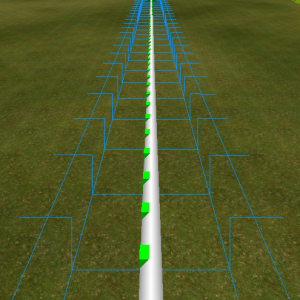
I still have problems with this and I am also on an M1 iMac. Getting the track to zero isn't hard but getting it to stay straight after that is near impossible.
HyperRushProductions posted on March 9th, 2025
Is it possible that it can be turned into a custom dynamic brake like you and Systron did with TCM's brakes?
I changed the code a bit so that it is now possible to adapt the code to other brake models very freely. It also works now when the new brake model has more then one fin and the moving direction of the fins can be chosen freely too. So it could also be used for friction brakes at which the brake shoes move together towards the mid.
I think it is now as easy as it can get to include a different model. There is still no scipting needed. But you have to open a script file and change the values of a three variables to make it work. You can find a detailed explanation how to add an other brake model in the park description on the Steam page.
Cheers,
Systron
So I updated the brakes to version 1.1. I removed some bugs and added additional features. You can find the new version here and on Steam.
On the Steam page you find detailed descriptions of all changes I made and explanations for all features.
SentinelParks posted on March 6th, 2025
I love these so far. One problem, however. The X adjustor changes the position ALONG the track rather than side to side. In addition, you should either A: adjust the fins up trigger so that it can also be placed after the train passes rather than before, or B: put an option to have the brakes go back up right after the train passes.
To 1) Yes, the problem with the "x-adjustor" was a bug. It is now fixed and should work properly. I also added an option for a longitudinal offset.
To 2) I added an option that you can decide if the triggers are triggered if the train enters or leaves the trigger.
To 3) You can do this by putting the leave trigger one train length away of the entry trigger. (Also the new trim-brake feature with "speed limit" and "hysteresis" can be used to change the behaviour of the brake even more freely, see steam page for detailed description of this option)
Cheers,
Systron
3 Blind Mice is happening now. We'll have the annual 5 Hours of Power in a few months. Otherwise keep your eyes open here and on the NLC Discord for future contests.
-Ride_Op
I'll send you my love on 2 rails
Lift you up, airtime flail
Every arm, ooh, ooh
In the air, ooh, ooh
Floating
Our next Mega Roundup contest will happen with Roundup 600.
You create it, you share it, we feature it!
-Ride_Op
I am busy at the moment. I will try to address the questions / issues next week in detail.
I see, thanks for the info!
You could see the script and stuff however if you import the model into blender you’ll see the parts names and could change it to be the same.
721 to 740 of 19724