Randomrider posted on April 3rd, 2025
No, the coaster works now.
OK tnx for your reply.

Randomrider posted on April 3rd, 2025
No, the coaster works now.
OK tnx for your reply.
No, the coaster works now.
Randomrider posted on April 3rd, 2025
Hello,
So I've found the problem.
Again, thank you so much for the help!Greetings
So my help is no longer needed ?
Hello,
So I've found the problem. The trigger of b3 (the brake before the transfertable) was set to start, and since that section of the coaster is in reverse, the trigger is actually at the end of the brake section. So, by setting the trigger to "end" and "middle car", the trigger is now at the start of the brake section. That way, swb2 (the transfertable brake) will open.
(btw: if I set the trigger just to "end" and "first car", swb2 will open when the train is about halfway trough it)
In the past I would just set the triggers to default or "centered on section", so it's weird that it's a problem now.
Again, thank you so much for the help!
Greetings
Hi!
Thank you for the responses!
The trigger is set to "centered on track". Here is the link to the Steam discussion.
I've just sent the pkg file to MrRC.
Greetings,
Randomrider
Randomrider posted on April 2nd, 2025
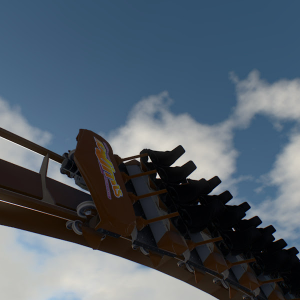
When I try to script a transfer table for my coaster using Dragón Groar's script generator it works, but when the train enters the transfer table, the brakes are closed.
Hi!
That totally sounds like you're setting the trigger point to your transfer table incorrectly. For some reason I don't understand, NoLimits 2 sets it at the beginning of the brake by default, so if you don't change it, as soon as the train enters the brake section, and since the next block is not ready, the brakes close to hold the train in that block, jamming the switch that should move, thus locking the ride. Make sure you setup the trigger point correctly in the brake settings. If the train is not coming in very fast or you have a decent deceleration speed in your transports, clicking the "centered on section" button is enough.
If that doesn't fix it, make sure to let us know to investigate further.
And I'm not sure what you mean about Steam. I see no new discussions in the workshop community about this. If you can point me there or that people here, that'd be awesome.
Hope you get the issue fixed!
Dragón Groar
Randomrider posted on April 2nd, 2025
Hello everyone,
Thanks for the help.
Send me your PKG file of your park to my email (see profile) Subject NL2
I will make it work.
Hello everyone,
When I try to script a transfer table for my coaster using Dragón Groar's script generator it works, but when the train enters the transfer table, the brakes are closed. How does train traverse the track?
Station (sta) > brake (b1) > switchtable 1 (sw1 & swb1) > backwardsbrake (b3) > switchtable 2 (sw2 & swb2) > brake (b5) > switchtrack fork (sw3) > end brake (b6).
The problem is that swb2 is closed. When I go into full manual and put the train on the transfertable and put it back to automatic, it works.
When I set b3 as a trim brake and take it out of the script, it fully works.
I've also tried using Musickid43's script generator and Custom Block Logic Builder, but that also doesn"t work. I've scripted many times in the past, and it has always worked. A few users on Steam also seem to have the problem.
Thanks for the help.
heart.nai posted on April 1st, 2025
Error in File 'dgScriptGeneratoriDgScriptGeneratorManager.nlvm' in Line 4: Not a class: nlvm.util.HashMap
Error in File 'triael.nlvm' in Line 209: Unknown symbol 'DgScriptGeneratorManager'
That means you have an outdated NoLimits 2 version. The scripting class "HashMap" was introduced in version 2.6.5.7, so you will need to update NoLimits 2 at least to that version. Keep in mind that even if you took it upon yourself to substitute the code that uses that class, some of the features of the Script Generator won't even work before that version, as I sent a number of bug reports to the developers from version 2.6.5.5 that got fixed for version 2.6.5.7, some of which are important for certain Script Generator features.
Therefore, please just update NL2 to the latest version and you'll be good.
Cheers,
Dragón Groar
hi there!
very new to scripting coasters. when i try to run a basic script on a mini coaster i made just to test the waters, i keep getting this error.
Error in File 'dgScriptGeneratoriDgScriptGeneratorManager.nlvm' in Line 4: Not a class: nlvm.util.HashMap
Error in File 'triael.nlvm' in Line 209: Unknown symbol 'DgScriptGeneratorManager'
The speed limits in the exit setup panel are only intended to limit the transport speed. It doesn't affect the speed over which the brake should close and trim the train's speed, therefore, your explanation looks like the intended behaviour actually.
It's true that it would be interesting to also have a per-exit brake speed limit, but that is not implemented. The existing settings are to limit the transports speed. I might consider adding the a brake speed limit setting to the exit setup, but I can't promise that, since last time I tried to do that years ago, it was really quirky and I did not manage to really replicate NoLimits 2's trim behaviour correctly...
Besides, I'm quite sure right now that the trim function of brakes only activates after the trigger anyways...
Therefore, if you want the train to slow down to the selected speed before the trigger, make sure to increase the transports deceleration so that the transports brake the train ;)
I'm not sure if the speed limits before a trigger are working. The Train still seems to only brake once it is in the middle of the Block where the trigger is.
The coaster script is here: LINK
I'm having twisted dreams,
Of leaving this job scene.
Hear the coaster roar,
I swear it's calling me.
We will be screaming loud,
These rides are wild and free.
My heart drops a beat,
Dropping 90 degrees.
Our next Mega Roundup contest will happen with Roundup 600.
You create it, you share it, we feature it!
-Ride_Op
If you want the numbers, there are some tables in the Mega Resource Thread that should help (you're looking for the green and red tables in the post I linked), but I believe that, mainly out of laziness, I didn't look for them or use them when I did Hagrid's.
I just started with a very small section of track, aligned it with NoLimits' track and did small adjustments until I nailed the rail diameter, the track gauge and the main spine / 3rd tube height (which, unless if you're using a 2-tube track style in your switch and don't need it, you won't find a table for)...
Be warned though that the tables in the Mega Resource Thread are not perfect anyway (some people have found errors here and there) and you should still test what you're building in Blender in NoLimits next to its actual track to nail down the values to the exact same NL2 uses, but the tables are indeed a very good first approximation to start with.
Hope I helped!
Cheers,
Dragón Groar
Edit: I see you ended up finding the tables yourself. The rest of my message is equally valid, though. ;)
Edit 2: A small bonus I originally didn't answer. While not perfect, a trick to measure stuff in NoLimits 2 is to use two support "free nodes" and join them with a beam. When you select the beam, its length will appear in the status bar at the bottom of the Editor. You just need to make sure that both free nodes are at the same height. It might be tricky to measure things as small as the rail diameter, but for track gauge and specially main spine / 3rd rail height, it can be very useful.
Thanks a lot dg, the track connection was the main thing I was confused about, I understood the part about the "forwards-backwards-forwards-switch back to track 0" sequence. I was planning to us your script generator, because while I do know the basics about coding it's just easier not having to do it yourself, so thanks for the advice about telling it it's a switch, not a transfer table.
One question, do you know if there are any sites with measurements for the track? Where did you find measurements for the Hagrids coaster? Manufacturer website? I want to use the MACK launch coaster, but I don't know the exact measurements for Blender. If you could refer me to any method on how to find information like this or a way to measure it in NL, that would be very helpful. I hope I'm not taking up too much of your time.
Edit: dw I found the track gauge chart on the resource mega thread. God am I stupid scrolling past that 100 times.
Hi,
Is there a way to place or copy a SceneryObject using a script? E.g. to automatically place custom track devices.
Hi!
Firstly, I'd connect the top hat and the spike to the same track of the transfer switch (in your case, the rightmost track). It makes things substantially easier.
Second, aside from the 0m distance between tracks, which yes, for demonstration purposes is fine not to be set like that, you also need to setup the switch track, in the "Special Track Properties" window, to change tracks in 0.1 seconds (that's the minimum).
Now, the last thing you need is a script for your coaster that moves the transfer track when the train comes in. The sequence of events would be like this: your train leaves the previous block, your train arrives at the sneaky transfer track, as soon as the train is fully inside the transfer track block, switch the transfer to the right position (in the code, that'd be position 1, since it counts from 0), launch the train forwards towards the top hat, launch it backwards towards the spike (note that the transfer track is already correctly positioned for this backwards launch), launch the train forward over the top hat. (When the launch block is clear, of course, you can reset the transfer to the left position to receive the next train.)
If you don't know how to code that script, not that I want to self-promote, but you can use my script generator. It allows you to program both the switch track movement and the swing launch automatically through a (I hope) easy to use interface. The only note I'd need to tell you is that, when adding the switch, tell the generator it's a Fork/Merge switch, because if you tell it it's a Transfer, the script will wait for the train to stop in the transfer before moving the transfer, while Fork/Merge switches move as soon as they're clear to do so.
If you decide to go with my script generator and encounter any issue or doubt, feel free to ask in its forum post and I'll help you further! :)
Hope that solved your doubts! Feel free to ask more stuff if I left any doubt unsolved!
Cheers,
Dragón Groar
I'm trying to follow this tutorial, but I'm confused on how this would work. Whenever I roll into the launch and switch over the transfer able, when I try to roll back into the backward spike, the train crashes/cant move through the transfer table/switch. I've made some images because I think that way my question/issue becomes clearer.

I know the transfer table should be 0 distance but this is just for demonstration purposes. What I'm trying to emulate (a swing launch, moving along the track in track view and manually switching the transfer table), order of operations is numbered.

This may just be a case of me being stupid, since it's obviously working for you and everyone else, and I probably just did something wrong. So I would appreciate it if anyone could help me out here. If I need to clarify anything, just ask. Thanks a lot in advance for anybody willing to answer.
This is a quick hotfix release after I was notified that there was an issue with the exit and entrance linked sections feature.
The fixes included are:
As always, the download link is updated in the first post.
CCA_Games posted on March 20th, 2025
This is an error I got: Error in File 'BlueSpace.nlvm' in Line 397, Column 54: Unknown symbol 'POSITION_'
...1 error(s), 0 warning(s)Line 397 is the first "new LinkedSection(StationMultimovehelperSection,LinkedSection.POSITION_-1)"
Here's the section of code that No Limits is saying has the error:[...]
Hi! Sorry, it seems that by adding one function to the lists, the code changed what list format it should use for the exit and entrance linked sections lists, which has allowed you to set up an invalid linked section. ("POSITION_-1" should be either "POSITION_BEFORE" or "POSITION_AFTER", -1 is an invalid value derived from an error, so NL2 has no clue what to do with that.)
I've fixed that issue and checked some more stuff around the lists that might have broken down and will be releasing a hotfix update as soon as possible.
Sorry for the issue. ^^'
And thanks for notifying me!
P.S.: A note: it seems to me by looking at the code you generated that you're trying to use the same section as an exit linked section and an entrance linked section at the same time. This is not what you should be doing. If the "helper" section is some kind of feeder for the lift, leave it only as an "entrance" linked section on the station -> lift exit. If it's some kind of kicker right after the station, leave it as an "exit" linked section on that same exit. By being an exit or entrance linked section, the block will be considered to extend to include that linked section while this exit is active, so if you were to set it as both an exit and entrance linked section, that section would be part of both blocks, which is not what it should be. The generator shouldn't let you do that, though, but it did because those lists were broken on the last update...