
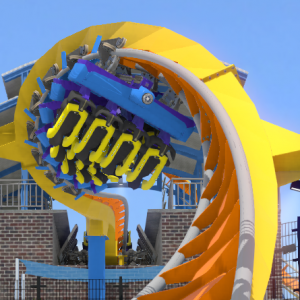
no it is not form nolImits 2, it is from real Life.
All Comments
6501 to 6520 of 19729Filter comments
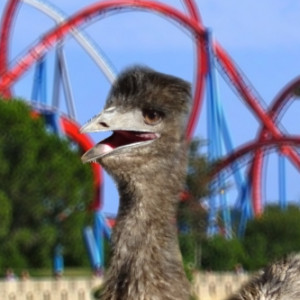
Super speed cool cool bear?
Gemini @ Ceder Point?

twisted cyclone?
you can't use a pic from NL2
EDIT:
Twisted Mobius - image used:

Hint #1: It's an RMC
windjammer @ knotts?
Joker
west coast racers

I want to do that too. Make all roll nodes strict and rotated at a certain degree.
Sorry. Not sure what you mean. I know all about un-ticking the "display" panel to isolate the items (e.g. vertices) in question, but it looks like I still have to double-click on each one, don't I? Tried highlighting them all in one go, but then the option is greyed out. I want to apply the "strict" setting to EVERY single vertex with a single keyboard action for the whole lot. Is that not possible?

Use in the editor the dropdown menu to hide / see diff things like vertex / roll points. Select the right option and click them all in your coaster to change them.
First things first - I'm still a beginner with NoLimits2. So many of the basics just seem much harder than in NL1 and I can't see why (e.g. why have type separators independent of section type segments?!) but that's a whole other issue. I've read a multitude of "tutorials" and I'm amazed how many fundamental things aren't mentioned at all, e.g. nobody has ever explained that if you double-click on an existing vertex or roll-point, you can see its existing setting! "Doh" maybe, but it wasn't obvious to me till I found out by chance yesterday, after all these months! Anyway, I was struggling with a coaster I had gotten from somewhere and wanted to adapt/simplify me for my (very basic) needs! I started removing points and the rolling went absurdly haywire! I've played around a bit, cussed a lot, and eureka - I see now that it's all down to whether the vertex is "locked" or "strict" (and similarly with roll points : "vertical X-Y" or "strict"). Trouble is, there are so many of them to change, and I need to know if there is a quick way to do the whole lot "en masse". Any suggestions or tips grateful received. Thank you for your time! David.
OrionBack posted on August 10th, 2020
Does anyone know how I could make a light bar (b&m giga style) for a giga?
Can u explain what u mean with a light bar ?
Does anyone know how I could make a light bar (b&m giga style) for a giga?

MrRC posted on August 9th, 2020
phoenixwang posted on August 9th, 2020
MrRC posted on August 9th, 2020
phoenixwang posted on August 9th, 2020
so where can I download the folder? thanks!
They all stored on my HDD.
Scripting is so hard (laugh)
If u need any help send me your PKG file of your park to my email adress and i will try to help u.
thank you very very much
phoenixwang posted on August 9th, 2020
MrRC posted on August 9th, 2020
phoenixwang posted on August 9th, 2020
so where can I download the folder? thanks!
They all stored on my HDD.
Scripting is so hard (laugh)
If u need any help send me your PKG file of your park to my email adress and i will try to help u.
MrRC posted on August 9th, 2020
phoenixwang posted on August 9th, 2020
so where can I download the folder? thanks!
They all stored on my HDD.
Scripting is so hard (laugh)
phoenixwang posted on August 9th, 2020
so where can I download the folder? thanks!
They all stored on my HDD.
6501 to 6520 of 19729