TheCodeMaster posted on August 18th, 2020
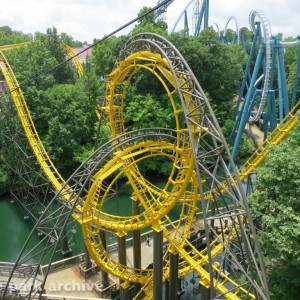
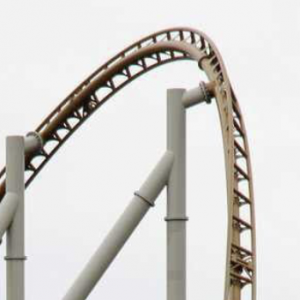
Kingda Ka @ Kentucky Kingdom
Patrick, u need new glasses. not correct.

TheCodeMaster posted on August 18th, 2020
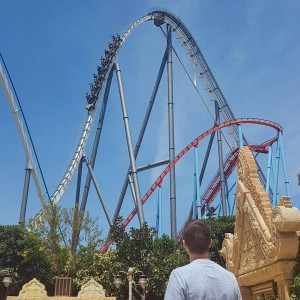
Kingda Ka @ Kentucky Kingdom
Patrick, u need new glasses. not correct.
i'm trying to create my first Dark coaster (ala The Many Adventures of Winnie the Pooh at WDW), and am completely struggling. Can't find any tutorials on how to create a dark ride (was able to do it using tunnels, but it looks horrible). Am I being blind? Or can someone point me in the right direction of how to do it please? Thanks
Kingda Ka @ Kentucky Kingdom
Here is a new guess :

yes
Ooh, more custom track! One tip: add a 'smooth' modifier to your rails and backbones and set it to auto smooth. It gets rid of those weirdly smoothed ends.
RLRides posted on July 28th, 2020
Really really enjoyed exploring this park. The arrow coaster is so well done too.
Thank you!
Here is an update on the project 2021 site, along with a special delivery:


Project Nifra by 10pm
I found some on steam workshop. Also does any one have a heartline value for the rmc track
VaCoasterFanatic posted on August 14th, 2020
No Luck With that unfortunantly
Ok was worth a try. Good luck.
No Luck With that unfortunantly
My custom support made prior and church track rail. 
VaCoasterFanatic posted on August 14th, 2020
Does anyone know where I could find the 2nd gen rmc trains? I've been seeing them around and I would like to use them at some point.
Option : Find a park / coaster in the exchange that has these trains.
Does anyone know where I could find the 2nd gen rmc trains? I've been seeing them around and I would like to use them at some point.
Plant Pack 2 and Tree pack look insanely good and would really take my projects to the next level.
Do you have a patreon or anything I could donate to? I feel bad asking for the status on something without contributing anything towards it.
kattercopter posted on August 12th, 2020
Does anyone know if anyone has made a drop track for no limits 2 as I have seen it done online but don't have the scripting capabilities
See here : https://www.youtube.com/watch?v=9LEMQ9vn_Ew
Does anyone know if anyone has made a drop track for no limits 2 as I have seen it done online but don't have the scripting capabilities
Oh well, c'est la vie. Actually, it's reminded me of something else I've been wondering about.... when one clicks on "display" and narrows the view of what is displayed, is there a quick way of (un)ticking all in one go, rather than individually? (I know it looks like I'm a lazy so-and-so, but I do seem to spend a lot of time on that display box!)
OrionBack posted on August 12th, 2020
Like on Fury325 and Orion, a strip of blue light on the catwalk of the lift.
U can use Pattern maker for it. Or make an object in e.g. Sketchup and make it lightup with a NL2MAT file.
LeedsUKNL posted on August 11th, 2020
Sorry. Not sure what you mean. I know all about un-ticking the "display" panel to isolate the items (e.g. vertices) in question, but it looks like I still have to double-click on each one, don't I? Tried highlighting them all in one go, but then the option is greyed out. I want to apply the "strict" setting to EVERY single vertex with a single keyboard action for the whole lot. Is that not possible?
To my knowledge thats NOT possible