

Hello. Is there any way to affect the acceleration with which a Transport accelerates a train using a script? E.g. if I had a swing launch. The first launch would be acceleration 1, the second launch would be at acceleration 2, and so on.
All Comments
621 to 640 of 19724Filter comments

Coastin’ dave, is there any link or download for your space mountain track and trains? I’ve been looking everywhere but you only have them but no link.

Cobra roll in the sky
Inverting twice up high
Then a roll, a heartline roll,
Disorienting!
Our next Mega Roundup contest will happen with Roundup 600.
You create it, you share it, we feature it!
-Ride_Op
lilbro posted on May 25th, 2025
650 foot drop
what the fuck?
Are there any tracks that output 360degree roll data or continuous roll data? I have a 360 degree simulator and I’m having a challenge in VR as the roll data in all tracks I’ve subscribed to are capped at -/+180 degrees.
Is there anyone capable of building these types of tracks?

lilbro posted on May 25th, 2025
650 foot drop
Where the images ?
650 foot drop
No words can describe how happy I am this thread exists. I couldn't find anything. Thanks!
I dont know yet ._.
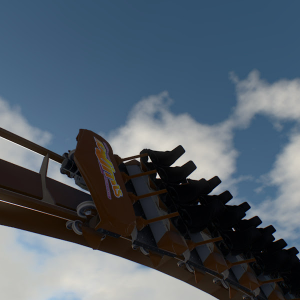
When I use multi-move between 2 different stations, load and unload, when the train enters the load station, the block says (In Station), then the train passes through the station without stopping. I also don't have any station pass-throughs enabled.
Man waiting in line is such a drag.
Now some guy tried to hide and dropped his new cell phone. (Busted)
Our next Mega Roundup contest will happen with Roundup 600.
You create it, you share it, we feature it!
-Ride_Op
I'd assume that older plans bank the ledger from the center line of the track.
-Ride_Op
The centre spline gets rotated. From there, the heartline is then applied.
Thanks, but that’s not quite what I was asking.
Let’s say I place a track vertex. Then, on top of that track vertex, I place a roll node and set the roll value to 45 degrees. What exactly gets rolled 45 degrees, and how?
The reason I’m asking is because the banking values on old rollercoaster blueprints tell the builder how much to bank the track ledger.
What I don’t know is how NoLimits banks track, which means I don’t know how to convert the numbers the old engineers state so that NoLimits will render the banking correctly. I hope that makes more sense!
hello everyone, I had the same problem too.. I play with Oculus 3 and simtool3. I partially solved it after a thousand tests.. in the simtool3 menu I set high priority in the execution of the program.. and now it works perfectly.. if I start from steam in Oculus mode with the quest3 already on. sometimes if I remove it after starting limit2 and put it back it doesn't work.. but if it starts like this. it works perfectly.. I hope it helps.
Nope. FVD++ didn't even make it officially to a V1.0 - the chances of any substantial change to FVD are slim at best.
Banking is handled separately than the track shaping. Vertices will shape the centerline path of the track (or the heartline path if you're in heartline mode). They do not control the angle of the track anywhere except at the first and last vertex. You have to add Roll Nodes along the track to set the banking throughout the track. This separation of track shaping and banking controls allows for very smooth tracks and very smooth rolls.
-Ride_Op
ThatFlyerGuy1 posted on April 25th, 2025
Every layout is completely unique to itself. Giving the height of the lift is one thing, but to be able to do something with it is something else.
What I will say for the graphs, however, is that you want both your roll and your normal force graphs to be quartic (though plateau also works for rolls). Normal force should generally decrease by a fair amount (I aim for about 2g decrease), and you may need to adjust the tension. Sharper graphs will give you a more teardrop-shaped loop, looser graphs will be more circular. Adjust the tension in the roll to keep it to your desired exit roll angle.
Thanks a lot.
And Is there a FVD+++ or FVD++ version 3 is developing?
U have an start vertex and an end vertex and inbetween u have your angled (roll) node.
Try this.
Let's say I put a banking marker on top of a track node and set the banking to 45 degrees. What exactly gets banked to 45 degrees? Is it banking the ledger under the track, or something else? I've tried to work this out by having a single node and then using the wooden support generator, but for some reason the game hates the idea of banking a single node and refuses to do it.
621 to 640 of 19724