
All the faces are normal. The file loaded fine in a new park then I imported the coaster from the park that would only show 20% of the file into the new park. It ll seems to work now in the new park. Not sure why it would not load fully in the first park. If I had 3dsmax I could have just created a track shape and used that instead of this very long not so good work around.
All Comments
6321 to 6340 of 19729Filter comments

Is it possible that some ofthe surfaces of your mesh are un colored (same as with the Blue faces / White faces in Google Sketchup ?? ) ??
Blue faces are , when imported into NL2 "see through" , so it looks like they not present.
Think we have a bug. If I create a new park the file loads fine. If I load it into my existing park only 20% shows up. I can see the full bounding box. Everything but the same 20% is missing from inside the box. Strange that it shows up fully in a new park but not in the one I need it in.
I was able to export the track deck from Solidworks as a STL file. Then used Meshlab to save it as a .3ds file to add to NL. Problem is most of the mesh is missing. It shows up fine in Meshlab but when loaded into NL only a 20% is there. Tried export re-save multiple times and the same parts are missing. I can load the stl into any program and all of it shows up. Any ideas?
I made a track in Nolimits 2 then exported the splines to Solidworks. I then extruded the splines to a custom rail shape. How do I get this new rail shape back into Nolimits? Its the exact path and size of track I exported. Its just a slot car solid deck now following the path generated by NoLimits. Solidworks does not export 3ds, dae or obj files. They make sure you can't play with Autodesk products. I do not have access to 3DSmax. For simplicity sake I would like to import the SW model over the NL track and hide the NL track. Then run the car using NL and it should look like it is running on the deck. Any ideas.
thanks,
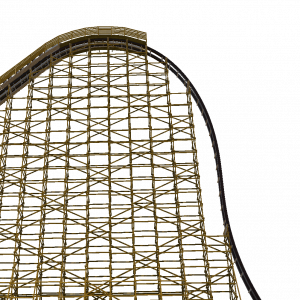
https://i.gyazo.com/d639f6fdf2ad1351de512651127b82ed.png Ummm, I'm having trouble here with the importing. Please help, the texture files are not found. What do I do? https://i.gyazo.com/af4a9611652ff72ab591de8bd79d2592.jpg
You seem amused, in line, that's great
Yeah, what must I do to 346 from you
Or am I mistaken and we Roundup more than I ever knew
4 weeks remain until Roundup 350!
You create it, you share it, we feature it!
-Ride_Op
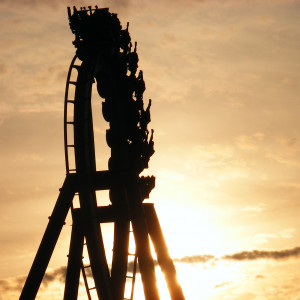
Take a spin on one of Cedar Point's first major coasters!
Next I'm either doing Coaster Dips at Glen Echo Park or Comet/Mighty Lightnin at Rocky Glen. Depends on photos and videos I can find.
You can do it! Book it to the finish!
"Booking it."
-Ride_Op

Spoiler: It's going to be a tight, tight race to the finish. No clue if I'll be able to finish my entry in time
View comment

can it be a art queue design
View comment

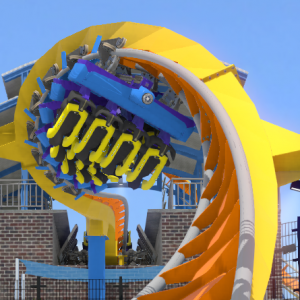
Awesome! This looks like it'll be a great help. Thanks for putting this together!

Its been a while since I posted something on here


It shock me
yeah it is so cool。It let me know more details about FVD.


I don't have much experience with processing exported NL2 data but the front, left and up vectors form a moving frame along the track so maybe
this helps assuming you want to convert to euler angles. Alternatively these vectors can be viewed as the colums of a rotation matrix so euler angle decomposition of rotation matrices might provide another starting point
Cyclone's layout is finished. Custom supports are underway.

Thanks for that. Well it's heartening to know somebody else doesn't get the graying-out (software glitch?!) but I think that is exactly what made me experiment with "save as" instead. It's also a confusing design also because you don't no whether to select "close" or the use the top right "x" afterwards! Anyway, I did indeed use the 3 dots to point elsewhere, and as I said, I always close and open the park religiously after every single change, however minor...... so I'm still bewildered by it all. I think I'm going to scrap the whole thing and import the coaster into a (virtually) empty environment - even if it means losing some scenery objects, sigh.....
6321 to 6340 of 19729