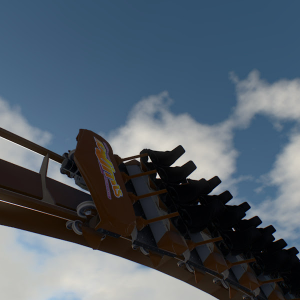
If u can't see this one, let me know

If u can't see this one, let me know
It doesn’t show.
That video wouldn't upload so this one should work
EK gaming posted on September 6th, 2026
CCA_Games posted on September 5th, 2026
EK gaming posted on September 5th, 2026
CCA_Games posted on September 5th, 2026
I think all you need to do is on the previous block in the settings where it says next block segment set it to swing brake. Then set the swing launch on the next block. As long as the block doesn't go immediently into a switch track after or transfer track then it should pass through normally but swing launch when stopped.
Is there any way you can make a quick tutorial on just that part? your tutorial isn't super helpful because your making a swing launch at the same time. It would be VERY VERY helpful!
Maybe, but probably not till monday or Tuesday or next week
ok thank you so much!! just lmk when you post it!
The video might be unavaliable cause it's still processing, but I'll put it here so I don't forget
CCA_Games posted on September 5th, 2026
EK gaming posted on September 5th, 2026
CCA_Games posted on September 5th, 2026
I think all you need to do is on the previous block in the settings where it says next block segment set it to swing brake. Then set the swing launch on the next block. As long as the block doesn't go immediently into a switch track after or transfer track then it should pass through normally but swing launch when stopped.
Is there any way you can make a quick tutorial on just that part? your tutorial isn't super helpful because your making a swing launch at the same time. It would be VERY VERY helpful!
Maybe, but probably not till monday or Tuesday or next week
ok thank you so much!! just lmk when you post it!
brianwestbay posted on September 6th, 2026
That's what I'm saying. That only works like half the time...
Ii'm used to keep in mind thats the way this program works.

Pretty Much Finished the station building. Hopefully that means I can do the rest of the scenery tomorrow
EK gaming posted on September 5th, 2026
CCA_Games posted on September 5th, 2026
I think all you need to do is on the previous block in the settings where it says next block segment set it to swing brake. Then set the swing launch on the next block. As long as the block doesn't go immediently into a switch track after or transfer track then it should pass through normally but swing launch when stopped.
Is there any way you can make a quick tutorial on just that part? your tutorial isn't super helpful because your making a swing launch at the same time. It would be VERY VERY helpful!
Maybe, but probably not till monday or Tuesday or next week
That's what I'm saying. That only works like half the time...
CCA_Games posted on September 5th, 2026
I think all you need to do is on the previous block in the settings where it says next block segment set it to swing brake. Then set the swing launch on the next block. As long as the block doesn't go immediently into a switch track after or transfer track then it should pass through normally but swing launch when stopped.
Is there any way you can make a quick tutorial on just that part? your tutorial isn't super helpful because your making a swing launch at the same time. It would be VERY VERY helpful!
I think all you need to do is on the previous block in the settings where it says next block segment set it to swing brake. Then set the swing launch on the next block. As long as the block doesn't go immediently into a switch track after or transfer track then it should pass through normally but swing launch when stopped.
Hi! I've learned the basics of how to use this program, so I'm trying to do more advanced stuff. for example, I have a coaster on which on the second launch I would like it to fully stop, launch backwards, up the last element, then back forewords through the rest of the layout ONLY when I Emergency stop the train on the launch, so basically just a basic launch recovery. If there is anyone able to give me the steps to do that, it would be greatly appreciated. Thank you!

U click on the last node (thats on the correct height) and then place a new node, u will see it keeps in mind what height the last clicked node was.
Oscar yeomans posted on September 2nd, 2026
I’ve been having issues when importing coasters from FVD into nolimits. When I’m creating a coasters with a longer train for example a vekoma mk101, it has a much greater mass and more momentum in nolimits, but fvd doesn’t calculate mass of longer trains and is more just the mass of a single point if you know what I mean, therefore when you export and test, g forces end up being much higher in nolimits 2
Vekoma has no MK101 only an MK1101
I’ve been having issues when importing coasters from FVD into nolimits. When I’m creating a coasters with a longer train for example a vekoma mk101, it has a much greater mass and more momentum in nolimits, but fvd doesn’t calculate mass of longer trains and is more just the mass of a single point if you know what I mean, therefore when you export and test, g forces end up being much higher in nolimits 2
Am I missing something? I've been playing NL2 on and off for roughly 7 years now. I remember in the original NL if you were to click an existing free node so that it's highlighted and then in the Top view add new free nodes, they would 100% of the time be placed on the same Y-axis. It made adding a bunch of new nodes at a specific height very simple and easy. However now in NL2, this same method usually doesn't work the same way. The new nodes will be placed at a different height most of the time, forcing me to go in and manually adjust every one (either by highlighting them and dragging or double clicking and typing in the value). Even copying and pasting the node gives the same result - a random new Y-axis value, which baffles me that even literally C/V doesn't, well, copy the value. I'm getting into more intricate support work and this bug, if it's a bug, is making things super tedious. Am I missing something?
Ok. That looks really good. Thank you for building it
MrMag posted on August 29th, 2026
That looks really good, did you manage to do the ravine. If you didnt that’s fine. And I am planning on uploading this to YouTube, do you mind if I name you? As the builder of the project
You can name me as CCA_Coasters. I do have a Youtube Channel so you might be able to use the collaboration feature on Youtube.