

Still no clue, can i ask in what continent we have to search for ?
All Comments
5001 to 5020 of 19729Filter comments
Hint #2 added!


Do you ever get paid to place soooo many track nodes close together and in such large amounts?
Qrispy posted on August 12th, 2020
Plant Pack 2 and Tree pack look insanely good and would really take my projects to the next level.
Do you have a patreon or anything I could donate to? I feel bad asking for the status on something without contributing anything towards it.
nah its fine, should have the plant pack 2 ready soon
Some changes to Pack2 :
- Smaller plants (Blue bells, Dandelions) have been removed due to performance
- Some plants have been swapped out for future packs as I intend for this to be more of a flower focused pack
Any suggestions are greatly appreciated
An insight for what's to come
Life

Bring more life into your nl2 parks with some small wildlife
Trees!!!!

Some more northern climate tree types
My progress. I have put in over 4000 objects. 

@ Soko can u send me a PKG file of your park, i will look into it mail it to [email protected] Subject : NL2
OK good luck.
Possible u have a group object into another group object.
I think I broke the track (yes, it's connected to the transfer)

What it looks like frozen:

IDK how I triggered that, and I hope it can be fixed without deleting all the vertices.
When you go to the Materials tab, the window should be populated with the materials from your object. You can then double click a material and the dialog will pop up to replace it with a .nl2mat file. If there’s nothing in that list, make sure you have materials defined in your scene object.
Thanks for the help. I matched my settings, but I still cannot extract files: I get a message saying Cannot extract File (permission denied)
Did you wish someone make Gerstlauer Wooden Coaster Trains like those?:


I'm trying to put a material on a scene object in NoLimits. I created a .nl2sco file with the NL2SCO Editor, and chose a scene object from a park folder (in .dae format), but when I go to the materials tab, it only shows the Select/Edit/Remove buttons, and I cannot add any .nl2mat files from my park folder. Does anyone know what I am doing wrong?
This sounds like an amazing idea
Nice supports! I can see they took some time to create.
I can't view the weekly roundup, I can't watch 381
'Cause I click and refresh and refresh and refresh
I can't get, no, wait there it is
You create it, you share it, we feature it!
-Ride_Op
RicCoaster posted on May 24th, 2021
Hey,
do you guys have any tips on how to get back to the station within fvd++?
One thing that can help is to design a slight descending turn going back into the station. You can design up to the turn in force sections and then tweak the turn’s radius, angle, and drop in a distance based geometric section to get your final alignment
Just Jay posted on May 8th, 2021
Does anyone know how to make a (smaller sized) tophat, like Taiga or Velocicoaster with a force section?
You need to switch over to a distance based geometric section. The reality is that you really can’t design a slow top hat in a force section of FVD++ because the track path becomes very sensitive force inputs at low speeds and FVD++ doesn’t have the exact functional forms of transitions needed to make the geometric top hat shape. My advice is learn to use the “linear” and quadratic “blend in” and “blend out” transitions to allow you to switch between segments mid-transition. Harnessing the ability to switch between reference frames (i.e. force, geometric, time-based, distance-based) opens up the ability to make some really complex and nice looking elements.
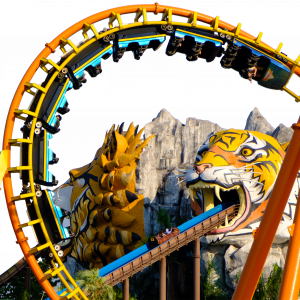
That third launch on Foudrée...
Just Jay posted on May 8th, 2021
Does anyone know how to make a (smaller sized) tophat, like Taiga or Velocicoaster with a force section?
This may not be much help, but slow this video down to 0.25 and start at 0:09.
5001 to 5020 of 19729