
I've been looking into laptops lately, and I want to buy a laptop that has processing capabilities that can handle NoLimits at a general high frame rate. I've been surfing the web for "best gaming laptops", but I have nothing to guide me on processing capabilities and storage for NL2. Does anyone have a suggestion on a laptop of any kind that would be able to run NoLimits 2 at a high, steady frame rate and has good storage for the game? Suggestions are greatly appreciated!
All Comments
4781 to 4800 of 19728Filter comments
Nothing like SteVe, but still is thrilling for a family coaster.
MrRC, u up next

FireChaser Express @ Dollywood ?
Hint #2 added

Don’t worry about e-stops. I won’t be checking that when judging. But you can make it work if you like for that extra bit of realism. And no just leave it with no station. As long as a station could theoretically be built there then you’re good
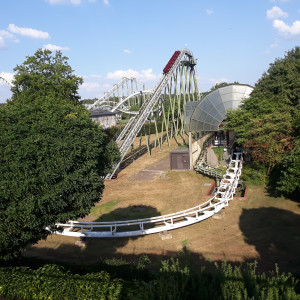
Do we need to add some kind of station building if we're not using the in-game one?
Does the coaster has to be E-Stop proof? So that it restarts fully automatically after an E-Stop...and doesn't have to be manually cleared like Taron's 2nd launch where they have to first launch backwards and then forwards
Tell me what you'll ride, I'll find it (I'll add to Roundup)
Tell me your fav loop, I'll search this (Rounding 389)
We can spend all night on this ranked list (sortin' it out)
Let's read the messages in the comments (that was a bad idea)
You create it, you share it, we feature it!
-Ride_Op
Calebgill2004
Not sure if this will help, but see here: https://nolimitscentral.com/forum/topic/682?page=1#c17349
It just means don’t go between the two levels of seating. You can build everywhere else
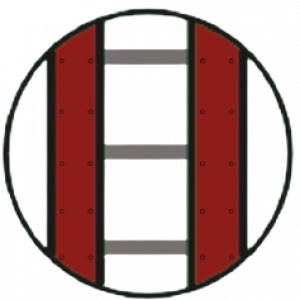
I don't understand this completely: "Track must not go between the 2 levels of seating - build over the outer red boundary"
is it only prohibited to build inside the lower stand or is it prohibited to build tracks lower than the upper red line in general, and therefore also on the field/sand?
I just downloaded the FVD++ .zip file from this link, but I can't figure out how to open it after I have extracted it. It doesn't show up when I'm searching for apps, and I get a message when I try to open the .PRO file asking me what app I want to use to open the file. How do I open FVD++?
I'm not sure is there is a script out there for this, but you can sync the dispatch of a station with an exit station under the Wait Time tab of the section settings; see here for example:
I enjoyed putting the cinematic part of this video together with sounds from real coasters. It's not as flashy as some other videos, but it makes me feel like I'm there. The coaster is an RMC conversion of a wooden coaster I made like a decade ago.
Hi, i am trying to recreate Wicker Man however the station features a slight Mulit-Move...is there anyone with a Multi Move script or knows how to make one. would be greatly appreciated
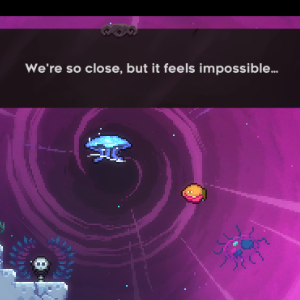
I don't make cinematic videos too often (which might be an understatement), but here's one I made of Escher Express, the one and only time that I have ever submitted anything for a mega-roundup (so far).
Hi guys! This is a thread where you can share cinematic videos that you have made of NL2 coasters, or ones that others have made that you enjoy. I thought that this might be useful for providing a balance between the videos people have made on their coasters and the rides themselves.
I'll kick things off with my favorite cinematic video that intim305 made for RU 250; even though it's not mine I thought that it would be hard not to post it:
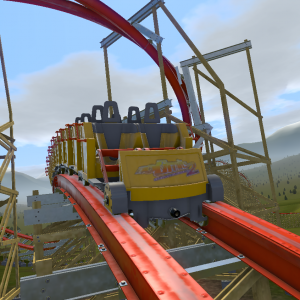
NEW UPDATED POV: 3km/h slower launch, adjusted banking to be more comfortable, and a super smooth recording done by Robbie
oh, and that's also generally how I handbuild XD
Ohhhh, I see. There isn't a perfect way to do this (that I know of), but in my last coaster, I would first do the general planning out of the straight (from top) section, and then click "straight from top 2D" or whatever it is. Then I'd adjust it in perspective from the side, and then click straight from top again to correct the vertices being slightly out of line. Then insert more verticies, adjust them, click straight from top. And finally add all the smoothing verticies, depump, and 2D from top one last time. I actually found it a little more simple to just do perspective and click the button without having to rotate the entire coaster to be in line with the straight section.
4781 to 4800 of 19728