

A little bit, but not too much to make it fair on those who do not wish to do 3d modelling/don't know how to
All Comments
4641 to 4660 of 19728Filter comments
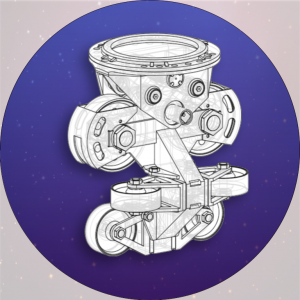
A super compact one for you all, but I'm not sure how cinematic this is
click here
https://www.youtube.com/watch?v=msFZqzgMoqA
Quick question as this contest looks pretty intriguing: Aside from custom trains, are custom scenery objects and stations taken into account when scoring?
Ride_Op posted on August 9th, 2021
First off, here's what we've typically done when it comes to e-stop testing. In general we expect that a coaster can be e-stopped and then automatically recover back to normal operations without manual intervention. Here's how I've been testing things during contest reviews:
- Press e-stop before a train reaches the first block brake. Train must stop without causing a block violation.
- Disable e-stop. Train must continue forward and out of the block brake, making it through to the next block brake.
- If there are additional block brakes, repeat the process with this first train.
- For a launched coaster, attempt to e-stop during the launch to cause a rollback. Train should rollback and stop without colliding.
- Ideally after a rollback stop, train can re-launch without manual movement of the train, however this is not always possible.
The question is how much to penalize the operations score or BT score of the coaster for failing one of these tests? Failing to stop at a particular block is a major fault. Failing to recover and move forward automatically is a lesser fault, but still easily fixed by adjusting the location of the block brake and settings that determine where the train will stop.
What do we all think?
-Ride_Op
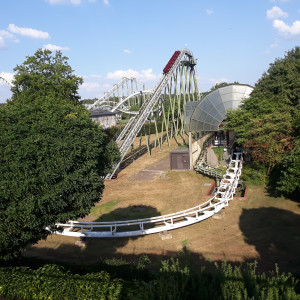
What's with launches like the 2nd one on Taron? How should such type of launch (mid-ride) perform in an E-Stop test? Should it be able to launch the train from a standstill after manually moving it to the beginning on the launch section? The realistic procedure like on Taron can't be done in NoLimits 2 (Launch the train backwards and then full power forwards).
Ride_Op posted on August 11th, 2021
During morning block testing, empty, cold trains are run around the track, stopping at each block brake in turn as part of making sure the safety systems are working.
Not always true, it's not part of every daily check for all coasters. For some, yes, that might be.
Hi. What will we have to do to submit the coaster?
Hint #2 : Added
KeilZend90 posted on August 13th, 2021
Intro of grail in the Order of the Eastern Star and Bluetooth DDS3 (DOM0) stability.
Where ?
Intro of grail in the Order of the Eastern Star and Bluetooth DDS3 (DOM0) stability.
Now a few days have passed, its time to reveal the Judges!


Entry instructions
To submit your entries, please email them to [email protected] with the following format for the email subject:
[DT - (username), (thrill ride name) and (family coaster name)
(i.e. "[DT - COASTERGUY246, Olympia Looping and Wilde Maus XXL")
When submitting your entries please make sure they are in an unpassworded .nl2pkg, and while not required a POV of both coasters would be appreciated
After the contest closes on the 6th of September, entries will be reviewed and a pre-recorded winner announcement video will be posted, presented by myself and Coaster Bot, talking about the top entries and honourable mentions.
That's all for now, good luck to everyone once again, and remember it's still not too late to enter!
Paradox posted on August 7th, 2021
WARNING THIS IS SCARY!
Rather lame then scary...
RMC It posted on August 12th, 2021
Orphan Rocker @ Scenic World?
Thats not correct. Try again.
Orphan Rocker @ Scenic World?
Calebgill2004 posted on August 11th, 2021
RMC It posted on July 20th, 2021
Calebgill2004
Not sure if this will help, but see here: https://nolimitscentral.com/forum/topic/682?page=1#c17349That is exactly what i mean, however it doesn't help that much since the person that made that didn't do a tutorial or leave any scripts under the video
That person apparently synced the station's dispatch time and put the brake wait time to 0
EDIT: Download the script here: https://nolimitscentral.com/exchange/park/958
RMC It posted on July 20th, 2021
Calebgill2004
Not sure if this will help, but see here: https://nolimitscentral.com/forum/topic/682?page=1#c17349
That is exactly what i mean, however it doesn't help that much since the person that made that didn't do a tutorial or leave any scripts under the video
It's not your fault, these objects might be a bit hard to use at first. Besides, it could still be the script what is wrong. Maybe you are trying to use it in a specific situation I hadn't thought of when doing the code. May I have the park file or a screenshot of the top view of the wireframe coaster? Or could you at least make a detailed technical description of the coaster, i.e. what blocks are there, in what order, how is the transfer table supposed to work in that case...? That might help me spot possible errors. As far as I know right now, the issue is likely to be in the Coaster scripting cube's last parameter, the "Adjacent transfer table". Regarding the tip you keep getting, I admittedly have no clue what it could be due to. I've been revising the script now, and I don't understand why you get that error. Are you sure it is the transfer table's block that has the complete stop on? Do you have more than one transfer table? Is it possible that you selected a switch track instead of a transfer table in the Transfer table controller? I know these questions are a bit dumb, but I cannot think of anything else regarding that tip message. Also, you can try adding some wait time to the block, the parameter right under the "Complete stop", just one second or so. If you say that the train exits backwards again and the table doesn't move, it might be fixed by that (not likely, though).
Oh, won't you drop me down tonight
Oh, from the top of your full height
Oh, and you Roundup 392
Flat-bottomed hills you make the coaster wheels go round
Flat-bottomed hills you make the coaster wheels go round
Roundup 400 is just 8 weeks away.
You create it, you share it, we feature it!
-Ride_Op
During morning block testing, empty, cold trains are run around the track, stopping at each block brake in turn as part of making sure the safety systems are working. So it's a very viable test to have a train stop at each block, then from that position crawl forward only to stop at the next block. In real life, engineers have to design for anything.
-Ride_Op

Khrystan posted on August 10th, 2021
BackRowRider posted on August 10th, 2021
That's it, yes. It doesn't need to be a complete circuit, but there should be at least one block following the transfer table, and it should also be configured by the Coaster scripting cube.
It's still not working. When I try to configure something else, it wants to not slide over and instead wants to send the train backwards where it came from. I don't know what I'm doing wrong, and I feel so stupid.
I also get a "tip" to make sure I have the train come to a complete stop, although I have the box ticked already. What am I doing wrong?
BackRowRider posted on August 10th, 2021
That's it, yes. It doesn't need to be a complete circuit, but there should be at least one block following the transfer table, and it should also be configured by the Coaster scripting cube.
It's still not working. When I try to configure something else, it wants to not slide over and instead wants to send the train backwards where it came from. I don't know what I'm doing wrong, and I feel so stupid.
4641 to 4660 of 19728