
Element 115, can you make Schwarzkopf Wildcat car and Herschell's Little Dipper trains?
All Comments
4301 to 4320 of 19728Filter comments
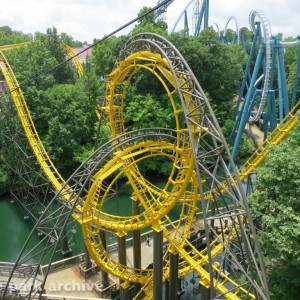
Since more people have been asking for double spined Intamins, I quickly put double spine versions of the MK2 and Mega Coaster track. You can download them here: https://www.dropbox.com/s/sz9vu53hi1xgkyh/Intamin double spine.zip?dl=0
It should be very easy to run 4 or 5 trains on that ride. Stations and lift hills are blocks which help separate the trains. Post a screen shot of your ride in "unfrozen" form and we can help figure out what you are missing.
-Ride_Op
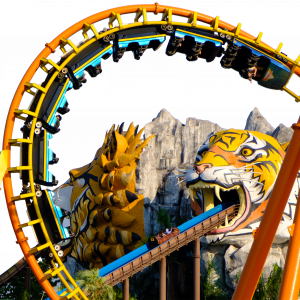

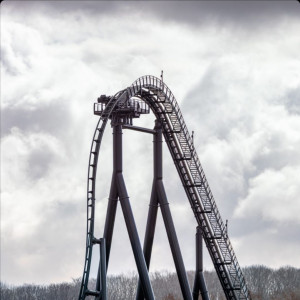
Wow, this plugin is really easy to use ( I just started working with 3ds max). What's the best way to have realistic/ nice looking support connectors connected to the track? I've been experimenting with the intamin pantheon track. Also. is there a easy way to make a double backbone track of it?
svennieboy53 posted on October 9th, 2021
where van i download?
This isn't done yet. A Planet Coaster version is in the works and is getting close to completion - that will be available to download first. I have no idea when the Nolimits version will be done.
where van i download?
Check the FVD++ manual. It tells you what the physical size of the background should be in meters (can’t remember the number off the top of my head and not at my computer). You can then use the grid in NL2 as described above, to get an image of the proper physical size to match that of FVD++
I don't use templates. I make all my buildings as custom objects in Google Sketch Up and export them as *.DAE
Not "Extract Package" but "Save Package"

Slalom posted on October 9th, 2021
It's a Grand Huit at Hannibal Park.
Correct!
Go into your editor to the park that you want to upload, then click "extract package
Edit: Save Package, thanks MrRC
I've been wondering how to upload coasters to this website though I can't figure it out; it gives be an error that nolimits2 park files are incompatible.
Cobra @ Freizeit-Land Geiselwind
It's a Grand Huit at Hannibal Park.
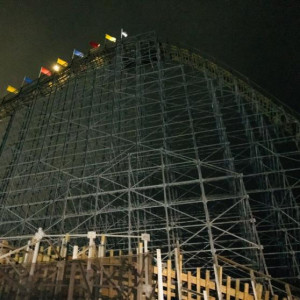
MrRC posted on October 7th, 2021
Large Square = 10 meters(image below)
Small Square = 1 meter (zoomed)(image below)


Thank you! I understand that now. Still having difficulty with adjusting the image though - been trying to get it properly scaled with paint.NET, but haven't had much luck with that. What do you use/what's your process for converting templates into FVD++ ground textures?
MrRC posted on October 8th, 2021
Aile Treni @ ParkAntep ??
Incorrect.
Aile Treni @ ParkAntep ??
This is great! I watched with great interest. I never put that much thought into the shaping of my valleys but your explanation does sound very logical. I'm eager to hear what you have to say about the roll-functions.
Hello!
I've been working hard to create a video series to help those still having trouble with FVD, and I'm making this topic to continue the discussion at a deeper level than can be done with YouTube comments. I'm new to video creation, so my animations are rough around the edges, but the information is there, and digestible.
My focus is from an engineering perspective, and I try to introduce some of the things I've learned through study and work in an approachable way so as to not overwhelm those without an engineering background. Force Vector Design really is the fastest and easiest way to create many of the types of our favorite roller coasters, and with some patience, practice, and understanding, you can design the roller coaster of your dreams with ease!
I'll update this post as I finish and publish future videos, and will regularly return for discussion.
I hope this is helpful to you all!
4301 to 4320 of 19728