
My mini jet coaster progress. 

All Comments
3601 to 3620 of 19728Filter comments
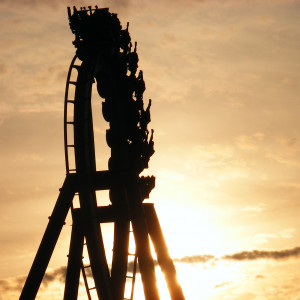

Work is progressing on Clementon Park's Jack Rabbit. It's a bit slow going because my job has been busy, plus working on smaller coasters is more tedious than bigger coasters. But it's almost done. The layout and supports are finished, and finishing scenery is all I have left.
MrRC posted on March 13th, 2022
Saw - The Ride @ Thorpe Park ?
No

Saw - The Ride @ Thorpe Park ?
tornado posted on March 13th, 2022
mind eraser at Six Flags ?
No
Yes no problem, thats possible
Si
mind eraser at Six Flags ?
You Cant

A 360 degree version of my Colossus The Fire Dragon at Lagoon. Its of the queue, pov and exit path. If you find the object known as "Baby" let me know in the comments that you found it but don't reveal its location. Enjoy.
Hello I am looking for someone who could create a video projector object to project video projection to make shows like the basic projector on our Coster two limits to put photos

Hint #1: Kiddy
Hint #2: Ryūjin
Hello I am looking for someone who could create a video projector object to project video projection to make shows like the basic projector on our Coster two limits to put photos
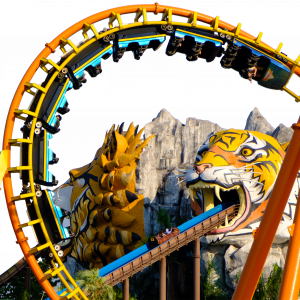
Grand Prix is correct!
Grand Prix @ Fun Land
Can we have a #hint ?
Nope.
Crazy Taxi Coaster @ Kid City Jakarta ??
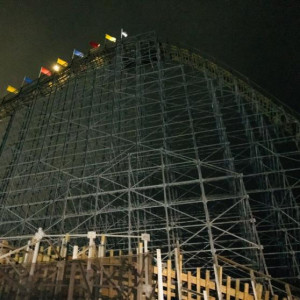
Alright then, here’s how to script a Pantheon-style swing launch...
First, add a Switch Track Merge to your track. Once it’s connected to the swing launch as well as the backwards section behind it (a spike?), add a short brake section directly after the Switch Track Merge (look at the screenshot below). Please note that it's impossible to change the radius of this curved switch track, so if you're aiming for realistic forces, the train shouldn't be going any faster than 20mph on entry.

Next, place down a Block Logic Builder Package and configure it like this...

Under “Configured Block”, pick that brake section you just added. Under “Move a Special Track”, pick the switch track merge. Under “Enter Track”, pick the curved track (in my example, it’s track 2). For “Exit Track”, pick the straight track. I recommend adding a short delay for “Delay Time to Movement to Exit Track” so the switch track only moves after the entire train has passed through it.
Now for the last step, configuring the swing launch itself is much easier. Set the “Speed” to however fast you want the final boost to be, but set the “Acceleration” substantially lower than normal (for example, 0.4 to 0.45g acceleration has worked well for my swing launches, but you might need an even lower acceleration if your swing launch track is really long).
Hope this helps! Let me know if you're having any trouble with this.
Another practical joke with TPR soundtrack of Robb Alvey
3601 to 3620 of 19728