
All Comments
41 to 60 of 19729Filter comments

FIRST!
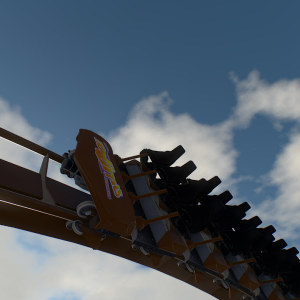
jk, looks sick! Nice work ride!!!

This is the announcement and feedback topic for the next version of NLC! Please read https://nolimitscentral.com/news/nolimits-central-v2-announcement for the full post.
This topic is for any feedback, concerns, or comments about the next version.
That’s looks phenomenal. Is there any way I can save the video. And could I see a view if you were sitting in it. So the view tilts down?

CCA_Games posted on September 7th, 2026
EK gaming posted on September 6th, 2026
CCA_Games posted on September 5th, 2026
EK gaming posted on September 5th, 2026
CCA_Games posted on September 5th, 2026
I think all you need to do is on the previous block in the settings where it says next block segment set it to swing brake. Then set the swing launch on the next block. As long as the block doesn't go immediently into a switch track after or transfer track then it should pass through normally but swing launch when stopped.
Is there any way you can make a quick tutorial on just that part? your tutorial isn't super helpful because your making a swing launch at the same time. It would be VERY VERY helpful!
Maybe, but probably not till monday or Tuesday or next week
ok thank you so much!! just lmk when you post it!
thank you so much! this was very helpful!!

If u can't see this one, let me know
It doesn’t show.
That video wouldn't upload so this one should work
EK gaming posted on September 6th, 2026
CCA_Games posted on September 5th, 2026
EK gaming posted on September 5th, 2026
CCA_Games posted on September 5th, 2026
I think all you need to do is on the previous block in the settings where it says next block segment set it to swing brake. Then set the swing launch on the next block. As long as the block doesn't go immediently into a switch track after or transfer track then it should pass through normally but swing launch when stopped.
Is there any way you can make a quick tutorial on just that part? your tutorial isn't super helpful because your making a swing launch at the same time. It would be VERY VERY helpful!
Maybe, but probably not till monday or Tuesday or next week
ok thank you so much!! just lmk when you post it!
The video might be unavaliable cause it's still processing, but I'll put it here so I don't forget
CCA_Games posted on September 5th, 2026
EK gaming posted on September 5th, 2026
CCA_Games posted on September 5th, 2026
I think all you need to do is on the previous block in the settings where it says next block segment set it to swing brake. Then set the swing launch on the next block. As long as the block doesn't go immediently into a switch track after or transfer track then it should pass through normally but swing launch when stopped.
Is there any way you can make a quick tutorial on just that part? your tutorial isn't super helpful because your making a swing launch at the same time. It would be VERY VERY helpful!
Maybe, but probably not till monday or Tuesday or next week
ok thank you so much!! just lmk when you post it!
brianwestbay posted on September 6th, 2026
That's what I'm saying. That only works like half the time...
Ii'm used to keep in mind thats the way this program works.

Pretty Much Finished the station building. Hopefully that means I can do the rest of the scenery tomorrow
EK gaming posted on September 5th, 2026
CCA_Games posted on September 5th, 2026
I think all you need to do is on the previous block in the settings where it says next block segment set it to swing brake. Then set the swing launch on the next block. As long as the block doesn't go immediently into a switch track after or transfer track then it should pass through normally but swing launch when stopped.
Is there any way you can make a quick tutorial on just that part? your tutorial isn't super helpful because your making a swing launch at the same time. It would be VERY VERY helpful!
Maybe, but probably not till monday or Tuesday or next week
That's what I'm saying. That only works like half the time...
CCA_Games posted on September 5th, 2026
I think all you need to do is on the previous block in the settings where it says next block segment set it to swing brake. Then set the swing launch on the next block. As long as the block doesn't go immediently into a switch track after or transfer track then it should pass through normally but swing launch when stopped.
Is there any way you can make a quick tutorial on just that part? your tutorial isn't super helpful because your making a swing launch at the same time. It would be VERY VERY helpful!
I think all you need to do is on the previous block in the settings where it says next block segment set it to swing brake. Then set the swing launch on the next block. As long as the block doesn't go immediently into a switch track after or transfer track then it should pass through normally but swing launch when stopped.
Hi! I've learned the basics of how to use this program, so I'm trying to do more advanced stuff. for example, I have a coaster on which on the second launch I would like it to fully stop, launch backwards, up the last element, then back forewords through the rest of the layout ONLY when I Emergency stop the train on the launch, so basically just a basic launch recovery. If there is anyone able to give me the steps to do that, it would be greatly appreciated. Thank you!

U click on the last node (thats on the correct height) and then place a new node, u will see it keeps in mind what height the last clicked node was.
41 to 60 of 19729